June 24, 2026
What Is TronLink? TRON Wallet, TRC-20 USDT, Fees, and Security
Read article

The question "what is the best crypto wallet" has no answer until you say two things out loud: how much you are holding, and how often you move it. Everything else — brand loyalty, star ratings, the number of supported coins on a landing page — is downstream of those two.
A few hundred dollars in stablecoins you spend every week and a long-term stack you touch twice a year are not the same problem, and they do not have the same answer. Five situations cover almost everyone, and the ten names below sort into them without leftovers.
Starting out, a couple of hundred dollars or less. One app on your phone is enough, and which of the five apps you pick matters far less than where the recovery phrase ends up. The five apps, and how to tell which one is yours, are under "The five everyday apps" below.
More than that. Above roughly two hundred dollars I would run two wallets doing two jobs: a hardware device for storage, an app for spending. Where that line comes from is under "App or hardware, and from what amount"; the four devices, compared in pairs, are under "The four hardware wallets".
You hold USDT. Then the ranking question is the wrong question, and one property decides everything: does the wallet support the network your USDT actually sits on. The whole answer, app by app, is under "If you hold USDT" — go there first, before you pick a brand.
You own only Bitcoin. Most of what the other nine wallets do is irrelevant to you, and there is a cleaner answer: two names, under "If you only own Bitcoin".
You are taking payments from customers, not storing your own money. None of these ten solves that, and the gap is not a missing feature. Why, and what does solve it, is under "If you are taking payments".
Prices, model line-ups and network lists below are as of August 2026. Vendors change all three, so check on the day you buy.
When your coins sit on an exchange, the exchange holds the keys and you hold a promise. That is what custodial means — the question is who can sign, and on an exchange account they can.
Your balance is a number in someone else's database, and your access to it depends on that company staying solvent, staying online and staying willing to serve your country. All ten wallets below are non-custodial: the keys are generated on your device and never leave it, so no company on this page can freeze your access — and none of them can restore it for you either.
That is a promise about the wallet, not about the money. Which token you hold and which network it travels on are decided somewhere else entirely, which is exactly why one of the sections below is about USDT and not about brands.
That symmetry is the whole deal, and it explains a thing beginners find suspicious. There is nothing to ask about.
A wallet does not open an account for you; it generates a key pair on your phone or on a chip, and the company that wrote the software never sees your funds. Verification appears only where a company takes custody or touches the banking system — buying with a card inside the app, or cashing out through an exchange account.
One correction, because it quietly causes most beginner mistakes. Coins live on the blockchain, always.
What the wallet stores is the private key that authorises spending from an address — and the recovery phrase (the twelve or twenty-four words you write down at setup) is a human-readable form of that key. Whoever has the phrase has the money, from any device, forever. That is why one of the last sections here is about the phrase and not about brands.
You will see wallets sorted into a dozen categories. One distinction changes your decision, and you have already settled the other by leaving the exchange.
Hot or cold — whether the keys ever touch an internet-connected device.
Cold storage does not make theft impossible — it removes one specific attack, the one where malware on your computer reads your key.
The rest are features you pick after that: mobile versus browser extension versus desktop, multichain versus single-chain, multisig or not. One of them is worth understanding straight away. Multichain means the wallet speaks to several blockchains (Ethereum, Solana, TRON), which is not the same as multi-currency — and sending the right coin over the wrong network is the single most expensive beginner mistake there is.
All of this still assumes the same thing: you hold a key and you sign with it. Wallets are being built where a passkey does the signing instead, and where gas works differently as a result. If a wallet with no seed phrase to write down sounds like it removes half your worries, read how smart wallets and passkeys work before you move money into one.
Here is the line, derived rather than declared. The cheapest hardware wallets worth buying start at $49.99 for a SafePal S1 and $54.90 for a two-card Tangem set, and the cheap end tops out at $89.99 for the SafePal S1 Pro — list prices in August 2026, before taxes and duties.
A device that costs fifty dollars makes obvious sense protecting a thousand and no sense at all protecting sixty. Somewhere around two hundred dollars the arithmetic turns. Below that line, the device eats a quarter or more of what it is guarding, and the setup effort buys you little. Above it, losing the phone starts to hurt more than the purchase ever would.
Under about $200: one phone app and a recovery phrase written on paper.
Above about $200: a hardware device for the bulk, plus an app for spending.
If you are holding a hundred and twenty dollars, you are in the first group — install the app tonight, and buy the device when the balance grows into it, not before.
Comparing four devices in a row tells you nothing. Comparing them two at a time tells you everything, because they split into two genuine pairs: the established pair you buy for serious storage, and the cheap-entry pair you buy to get off your phone without spending much.
These two do the identical thing — hold a key in a chip and sign transactions you confirm on a little screen — and they disagree about what you should be trusting.
Trezor publishes everything: hardware and firmware, described by the company as "100% open-source code & design", reviewable by anyone with the skills or by independent researchers on your behalf. Nothing on the device is a black box you take on faith.
Ledger is open in large part but not entirely. Its operating system uses a secure element chip from STMicroelectronics, and the contract with that chipmaker legally forbids publishing the low-level code that talks to it. The vendor states the trade-off plainly in its own explanation of what is and is not open: given a fork between a secure chip with most of the operating system open, and a less secure chip with all of it open, Ledger picks the first.
So this is not "Ledger is hiding something". It is a fork in the road, and you can only stand on one side of it: trust review by anyone of everything, or trust a hardened chip and the contract behind it.
Get it if "I want to be able to verify this" outweighs "I want it to be smooth" — and especially if you want a Bitcoin-only device.
Don't get it if you sign transactions constantly — the cable step is slower than tapping a card to a phone, every single time.
A note that saves money: the Trezor Model T is discontinued, listed among retired products in the same store, so it still gets support but is not something to buy new in 2026. Model One is retired too.
Get it if your portfolio is spread across many networks and you do not mind managing it through a desktop app.
Don't get it if the closed low-level layer will nag at you. A wallet you distrust is a wallet you eventually stop using properly.
Both get you off your phone for around fifty dollars. They solve the backup problem in ways that are almost mirror images.
Tangem deletes the classic failure — twenty-four words on a scrap of paper, later lost — and installs a different one: lose every card in the set and nobody can help you, Tangem included. There is no phrase to fall back on, by design. SafePal keeps the phrase and buys its security elsewhere, in the physical gap between the device and the internet.
Get it if you like the idea of tapping a card to your phone and you genuinely have a second safe place for the backup card — a different building, not a different drawer.
Don't get it if you have nowhere separate to keep the second card — then your "backup" burns in the same fire as the original.
Get it if you would rather the device contained no radio at all, and scanning a code on every transfer does not annoy you.
Don't get it if you move funds often — the QR dance is fine monthly and tiresome daily — or if you are the sort of person who will keep the recovery phrase in a photo on the same phone, which cancels the air gap entirely.
That is Tangem: tap the card to the phone, tap the second card as the backup, done. No phrase to transcribe, no cable.
Trezor and Ledger take longer precisely because they walk you through generating and confirming the phrase, which is the strictness you are paying them for.
That strictness is the product. What it buys is narrower than the box implies: it removes the attack where malware on your computer reads your key, and it removes nothing else — a perfectly good device will sign a bad transaction the moment you approve one. Before you choose between the two, it is worth having that line drawn properly: what you are actually paying for, and what neither device saves you from.
By this point the brand is settled. What is not settled is whether the model you are about to pay for handles your particular money.
Start with your asset on your network, because on hardware that question is harder than it is on a phone. An app publishes one list for the whole product; a device line publishes support per model, so the answer can be yes for the flagship and no for the cheaper one you were about to save money on. "Trezor supports USDT" and "Trezor supports my USDT on TRON" are two different sentences. Only the second one is your question.
Four things to do before you pay:
Two things that trip people up in step 2. A network appearing in a list does not mean your token exists on that network, and the device sitting in a shop is not always the model the list was written about — check the precise set or model going into your basket. Step 4 is slower than it looks. Availability moves with sanctions, app stores and local rules — so check it on the vendor's own site on the day you order, and treat secondhand claims about it as secondhand.
For daily use the differences between these five are smaller than they look. They all send, receive and swap; they all install in minutes.
The sorting question that actually helps is where you are already standing: the exchange account you have, the coins you hold, the way you already use the internet. That decides whether topping up and cashing out is one tap or three days of research.
Buying and cashing out in the same place removes the step where beginners actually lose money, which is picking a network by guessing. If you are unsure which network your USDT should travel on, read how to pick a USDT network before your first transfer, not after.
And whichever you install, the slow part of setup is never the app. It is writing the recovery phrase down properly, which is the part people skip.
Get it if you mostly hold stablecoins and want everything on your phone.
Don't get it if you want a full desktop-first experience. Worth knowing: parts of its mobile code are closed, which limits independent audit.
Get it if you plan to actually use on-chain apps — the sites you connect a wallet to instead of logging in, from exchanges to games — rather than just hold.
Don't get it if you want a calm phone-only wallet: it is a browser-centric tool built for clicking around on-chain apps. Browser extensions are also a category that attracts fakes — install it from the vendor's own link, never from a search ad. Our walkthrough of how MetaMask works goes deeper if that is where you land.
Get it if you already use Coinbase and want the wallet that sits next to that account.
Don't get it if you cannot afford to be surprised: since availability and features move with your country, the only honest test is to install it and check that the network and the features you came for are actually in your copy — before you move any money in.
Get it if you already trade on OKX and your assets are scattered across a lot of networks.
Don't get it if you have no OKX account — you would be taking on a wallet designed to funnel you into an exchange you do not use.
Get it if you are a Kraken customer. Only then.
Don't get it if your assets are not on that list — and that list is short on purpose. If your USDT lives on TRON, this is not your wallet.
If your money is in USDT, one property outranks every feature comparison on this page. The same USDT exists as separate versions on TRON, Ethereum, BNB Smart Chain and other networks. The addresses are not interchangeable, and a transfer sent over a network the receiving wallet does not speak is gone with no hack involved and nobody to appeal to.
So the question is never "how many chains does this wallet support" but "is my chain among them". Open the withdrawal screen on your exchange, read the network name next to your USDT balance, and shop for that name.
If that name is TRON, here is where the five apps stand tonight.
Trust Wallet is the yes. The vendor runs a dedicated TRON wallet page, so TRC-20 is not in question. If you want to be done in ten minutes, this is the install.
Kraken Wallet is the no. TRON is absent from its published list of supported networks, and that list is complete on purpose rather than out of date. Do not send TRC-20 there.
MetaMask is a yes, with one step first. Since January 2026 it handles TRON in the phone app and the browser extension alike, with no network to set up. Your TRON address there is separate from the 0x one and starts with T. Send a little TRX to it before any USDT: a new TRON address only starts working once TRX arrives, and a USDT transfer does not activate it.
OKX Wallet and Base App are "not established" — which tonight you should treat as a no. OKX Wallet advertises a hundred-plus networks but nothing that settles TRON specifically. Base App settles the question only inside the app. None of that proves they cannot hold your TRC-20 USDT. It means nobody has told you they can, and a wrong-network transfer is the worst possible way to find out. If one of these two is the app you want anyway, install it, find TRON in its own network selector, and prove it with a transfer small enough to lose before the rest follows.
If TRON is where your stablecoins live, a TRC-20 wallet like TronLink is worth knowing about too.
On hardware there is no brand-wide answer at all, because support is decided per model — so that one goes through the pre-order routine above, on the coin page of the exact model.
Nine of these ten wallets sell you breadth. If you own Bitcoin and nothing else, breadth is not a feature, it is extra code running near your keys.
For long-term storage, the cleanest answer to "best Bitcoin wallet for security" is a Bitcoin-only Trezor. The Bitcoin-only firmware strips out support for everything else, which means less code on the device and less surface to worry about, and it is available on all three current models. If you are a beginner whose only coin is Bitcoin, the sensible order is an app first and the device when your balance crosses the line above — a Bitcoin-only device protecting sixty dollars is a purchase, not a strategy.
When your balance does cross that line, moving it onto the device is an ordinary bitcoin transfer: the hardware wallet gives you a receiving address, you paste it into the app's Send screen, and the coins arrive once the network confirms the payment. A confirmed transfer cannot be reversed, so before the first move it is worth knowing how to send bitcoin to another wallet without getting the address or network wrong.
On a computer, free, the answer is the tenth wallet on this page.
Get it if you hold Bitcoin only, you want it on a laptop rather than a phone, and you would rather spend zero and get an old tool that does exactly one thing.
Don't get it if you own anything other than Bitcoin, or if you want to buy inside the app — and never if you are downloading it from a search result. Take it only from the official Electrum site and verify the GPG signatures. The project warns about impostor downloads and about people impersonating Electrum support, and both warnings exist because both things happen.
If you want Bitcoin sitting next to everything else, you no longer need a separate app for it: MetaMask holds Bitcoin natively since December 2025, and Kraken Wallet supports it. Neither is a substitute for cold storage of an amount you would miss.
The two-wallet split is also the honest answer to using a Bitcoin wallet — or any wallet — from the phone and the laptop without weakening it.
Because the recovery phrase is the wallet, any wallet here technically works on several devices: restore the same phrase on a second phone or a laptop and you are looking at the same funds. That is exactly why it is a bad habit. Each extra copy of the phrase is another place it can leak.
The clean way is to keep the key on a hardware device and connect it to whatever front end you are using:
One key, several interfaces, no extra copies of the phrase.
Ask which wallet is safest and the honest answer is a configuration, not a name:
Beyond a certain amount, add a multisig setup, where spending requires two or three keys instead of one and losing a single device stops being a catastrophe.
Every item on that list depends on the same thing, which is why it comes next.
You can pick perfectly among ten wallets and still lose everything, because the failure mode that empties beginner wallets is almost never a broken wallet. It is the phrase.
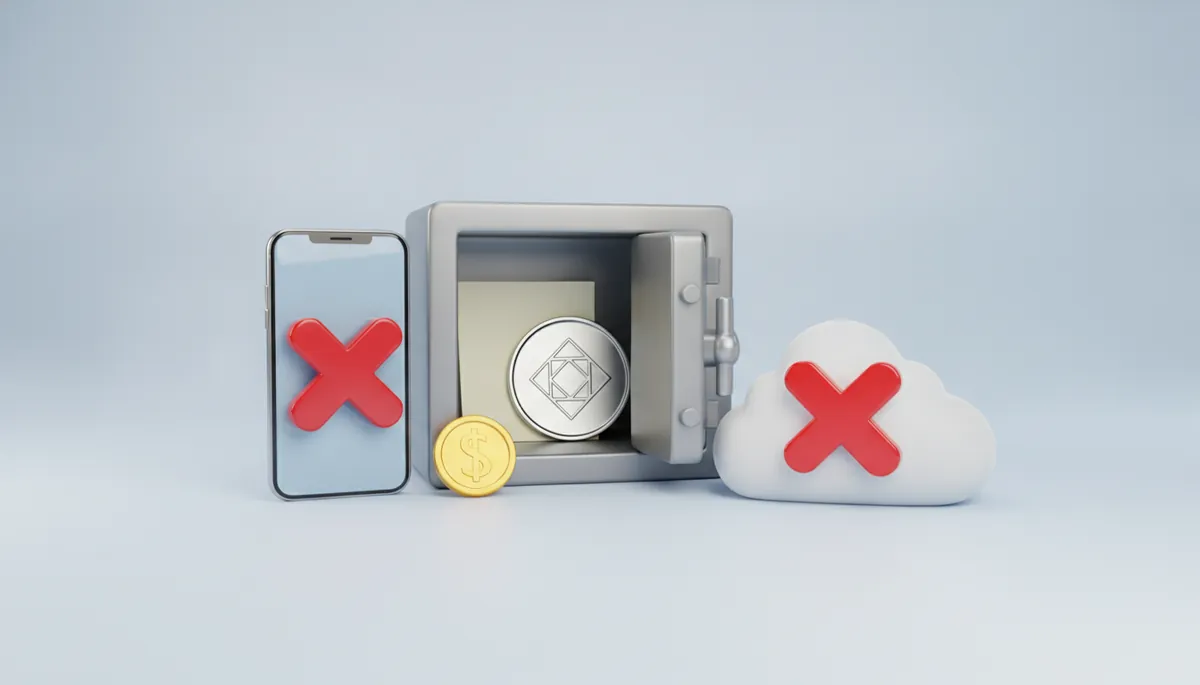
Five steps, and they are the whole job:
Our guide to what a seed phrase and a private key actually are covers the storage options in more detail.
Both of these target people who did everything else right.
Addresses that look like yours can appear in your transaction history after a tiny incoming transfer, planted so you copy one of them next time. That is address poisoning, and the defence is to never copy an address out of your own history.
And the permissions you grant to on-chain apps outlive the session you granted them in. If you have been clicking around for a while, revoke the token approvals you no longer use.
This is the fifth situation, and it is missing from every top-ten list. If money is arriving from customers rather than from you, none of these ten wallets solves your problem, and no amount of picking between them will.
Here is the gap. An address accepts anything sent to it and reports what arrived. It cannot tell you that these 100 USDT are order #412 from a customer who is now waiting for a download link, that those 99.4 USDT are an underpayment on invoice #380, or that the third transfer is a duplicate.
A personal wallet shows you a balance, not a ledger of orders. Matching payments to orders is a job for a payment layer sitting in front of the wallet, not a feature any of these ten is missing.
That is what CryptumPay does: an invoice as a payment link you send anywhere with no website and no code, a checkout button for a site that has one, and an API for orders, deposits and payouts when the flow needs to be automatic. Incoming payments are converted to USDT as soon as they arrive, so a balance never sits in a volatile coin, and you can withdraw to your own wallet at any moment with no minimum.
Processing does not replace your personal wallet — it stands in front of it, and your wallet stays what it always was: the place you withdraw to.
Legal note. Rules for accepting cryptocurrency for goods and services are set nationally and differ sharply: in some jurisdictions residents are barred from taking digital currency as payment at all. This is general information as of August 2026, not legal or tax advice — check your own jurisdiction's current rules with a qualified adviser before you invoice anyone.
The spread really is wide. A business registered in the United States, the United Kingdom or the European Union may take crypto for its own goods and services without a licence of its own, because the licence sits with firms that hold or exchange other people's money. Türkiye, by contrast, has barred paying for goods and services with crypto since 30 April 2021, even though owning it there is legal. So the question to answer before customers start paying is which legal rules apply when a business accepts crypto as payment.
Name your situation and buy one thing.
Under about two hundred dollars. Install one app — Trust Wallet if you hold stablecoins, MetaMask if you plan to use on-chain apps, Base App or OKX Wallet if you already have that account. Then spend the time you saved writing the recovery phrase on paper and putting it somewhere that is not your desk.
Above that. Order a hardware wallet:
Holding USDT. Open your exchange's withdrawal screen and read the network name next to your balance — that name, not a brand, is what you are shopping for. Then find that exact pairing on the wallet's own supported-assets page: USDT on TRON, not "USDT". On a hardware wallet, look at the page for the exact model you are ordering, because support there is per model, not per company.
Bitcoin only, long term. A Bitcoin-only Trezor, with Electrum on the computer for free.
Taking money from customers. A payment layer in front, with any of the above as the wallet you withdraw to.
The brand you pick is the least consequential decision in this article. Where the recovery phrase sleeps tonight, and which network you send on tomorrow, are the two that decide whether the money is still there next year.
Create an account and connect the checkout yourself, or talk to sales and we will plan the integration with you.