September 2, 2026
How to Accept Crypto Payments on Shopify: Three Paths and One Dead End
Read article

Stripe takes crypto payments in one narrow form: three dollar-pegged stablecoins, and no bitcoin. A stablecoin is a token whose price tracks one US dollar. You never handle one yourself. Completed payments settle in your Stripe balance in your local currency, the way a card charge does.
The price is why anyone looks at this. A stablecoin payment costs 1.5% of the transaction amount in USD, against 2.9% + $0.30 for a US domestic card.
Before you get attached to that number, check the map. Stablecoin payments are switchable for businesses operating in the US. In the European Union, Hong Kong, Mexico and Switzerland they are in private preview, which means there is nothing in your Dashboard to turn on. In Russia, Ukraine and Belarus, Stripe is not available at all.
The accepted list in Stripe's stablecoin docs is short. USDC, on the Tempo, Ethereum, Solana, Polygon and Base networks. USDP, on Ethereum and Solana. USDG, on Ethereum. The last two carry a US-only mark in the docs. That is the whole thing.
Prices are shown to the buyer in US dollars. Other presentment currencies are a preview feature, so no euro price on a stablecoin payment today.
So when the second customer this month asks whether they can pay in USDC, here is what they get. They click pay, leave your site for a Stripe-hosted crypto page, pick the currency and network there, connect a wallet and confirm. You see a paid order.
On your side, stablecoin payments work with Checkout, Elements, Billing and Connect. You switch them on in the Dashboard, under payment method settings. Invoicing and Payment Links can take them from the Dashboard too.
If your search results are full of a Stripe announcement about bitcoin, it is eight years old. Stripe published "Ending Bitcoin support" on 23 January 2018 and stopped processing bitcoin on 23 April 2018.
The reasons were operational. Confirmation times had risen substantially, which pushed up the failure rate of payments priced in fiat currencies. And a single bitcoin transaction routinely cost tens of U.S. dollars by then, making it about as expensive as a bank wire — a hard thing to put under a checkout button.
Bitcoin has not come back. Neither that post nor today's stablecoin documentation says anything about bringing it back, and the accepted list holds stablecoins only.

Take a $400 order paid in USDC. Stripe's 1.5% takes $6.00, and the rest settles to your balance in your local currency. The same $400 on a US card costs you 2.9% + $0.30, which is $11.90. You keep $5.90 more.
The rate lives on Stripe's pricing page, and the stablecoin documentation names no fee at all. A card and a crypto channel charge you in different places, not only at different rates.
Four things in the documentation change how this channel behaves.

One country is open. "Stablecoin payments are available in private preview to businesses operating in the European Union, Hong Kong, Mexico, and Switzerland" — that is Stripe's own wording, and the US is listed separately, without the qualifier. US businesses can switch this on. The four names above cannot — and the docs spell that group out as 32 country codes, which is where the number comes from.
In preview, there is no switch to find. A design studio in Berlin reads "available in the European Union", opens payment method settings and sees nothing there. Nothing is broken. Private preview, by application and waitlist all land in the same place: not today, however well the page describes it. Your own Dashboard is the only status that applies to you.
The buyer's geography is global, minus sanctioned countries, while acceptance depends on where your business operates. And Stripe's support pages state that "Stripe currently does not support users located in Russia, Ukraine and Belarus", adding that "persons located in Russia may no longer use in-scope Stripe products" (checked 3 September 2026). Stripe publishes the countries it serves as a list with no total attached; those three are not on it.

Switch it on if your business operates in the US, your order values sit well under $10,000, and the customers who asked are happy paying in USDC. It is a Dashboard setting at 1.5%, there is nothing to build, and you can stop reading here.
Get crypto acceptance outside Stripe if any one of these is true: your Dashboard has no switch because you operate elsewhere; your customers pay in USDT; single invoices run past the $10,000 ceiling; someone wants to pay in bitcoin.
That second group includes the Berlin studio. With 32 jurisdictions parked in closed access, it is an ordinary place to be. What remains to settle is where the payment button lives and what the outside path costs.
"Crypto" means four unrelated things at a payment company: taking a payment, selling coins to a customer, paying someone out, and holding a balance. Stripe does all four, under names that look interchangeable. Only one of them is you getting paid.
Crypto Onramp sells crypto to your customer. Stripe describes it as letting your customers purchase and exchange cryptocurrencies directly from your platform or decentralized application at checkout — money moving from the customer into their own wallet. An app developer who wires this up because a user asked to "pay in crypto" gets a working integration pointed the wrong way. Stripe is merchant of record there and carries fraud, disputes, KYC and sanctions screening. It is also gated: the onramp docs say you must submit an application first, and that most are reviewed within 48 hours.
Crypto payouts send money out to people: platforms and marketplaces on Connect paying sellers, freelancers and creators in USDC, announced on 22 April 2022. Stablecoin payouts with Connect are in private preview today.
Stablecoin financial accounts, introduced on 20 May 2025, hold money: a balance in USDC, fiat operations in USD and EUR, access by waitlist. Somewhere to keep what you earn; it does nothing at your checkout.
Officially, once. Stripe supports custom payment methods, which "allow you to extend your payment and billing integrations with payment methods processed outside of Stripe." Your crypto provider appears as an option in the Stripe checkout, and the transaction can be written back into your Stripe account through the Payment Record API, so reporting stays in one place.
Read carefully what that buys you: bookkeeping, not processing. Stripe's terms are blunt: "You're responsible for maintaining a direct integration with the PSP". The money and the liability stay outside Stripe. Only the record comes back in.
Then one line in the support table costs some shops the whole plan. Payment Links are unsupported. Say your orders go out one at a time as a Stripe payment link and your customers keep asking for USDT: that order cannot be built with an outside crypto method attached. Stripe's own stablecoins do run in payment links, which is the part everyone mixes up. Custom methods work in the regular checkout — except where it uses manual approval — and in the payment element, invoicing and subscriptions. In Indonesia and Thailand they are barred outright.
The shape repeats across platforms: Shopify closes its checkout to outside processors in much the same way, and crypto ends up living somewhere else on the site.

A crypto payment can physically sit in three places, and you have just seen the first: inside the Stripe checkout as a custom payment method, processed elsewhere, recorded back for reporting. It costs a direct integration with the provider and is closed to payment links.
The other two sit next to the Stripe checkout. There are only a handful of ways to put crypto on a site; these two need nothing from your platform. Sort them by where the order is born — on a page, or in a conversation — rather than by whether you have a website.
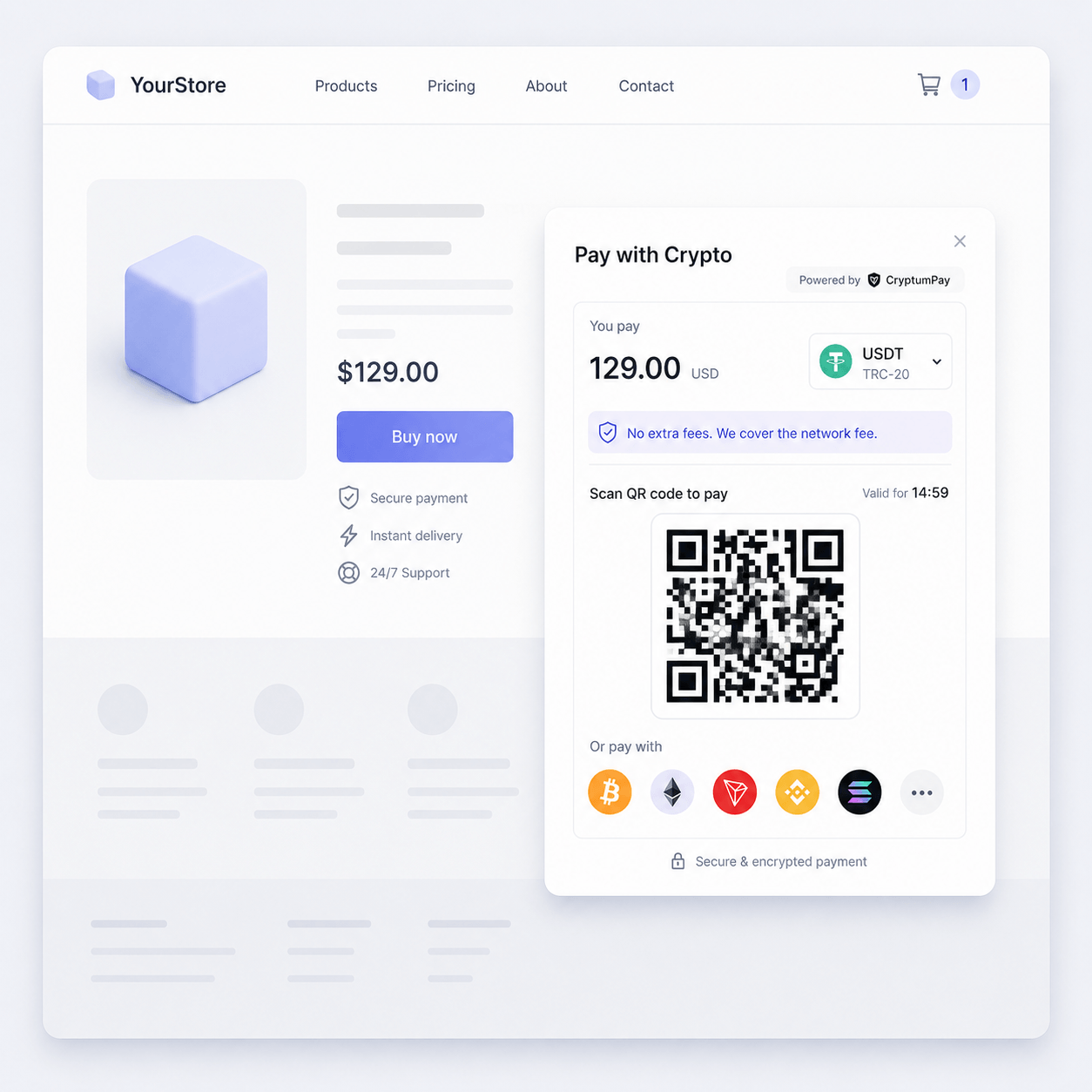
A pay button on your own page, for orders that arrive by themselves. The customer who asked about USDC clicks it, and the crypto checkout opens in a window over your site without anyone talking to anyone. CryptumPay's widget works this way: a script from a CDN, no build tools, though someone still has to place that script and handle the callback. CryptumPay also needs your shop's domain added to the project in advance, or the widget will not run on launch day.
An invoice link, for orders agreed in correspondence. You already know the customer and the amount, and one large payment does not justify building a page. A freelancer billing a client for 2,000 USDT creates the invoice in the CryptumPay console and sends an invoice link when there's no site by email or messenger. Nothing gets installed anywhere, and a shop with no crypto at its checkout can use the same route for one-off orders.
An invoice link fixes how the money travels, not what happens if the deal goes wrong. Nothing on this route reverses in either direction: the client cannot pull 2,000 USDT back once the files land, and there is nobody to appeal to if they simply never send it. So work like this is normally billed in halves — a deposit before it starts, the balance against delivery — and that split does the job escrow would do for a freelancer invoicing a client in USDT.
A crypto payment fee is never one number: the network fee sits on top of the service percentage, and conversion and withdrawal can sit on top of that. The percentage is only the first line of the answer. Get all four in writing before you sign anything.
What crypto processing costs and how it gets connected goes past the checkout into reconciliation and payouts.
Whatever channel you pick, check the activity as well as the country. Stripe's restricted businesses list, as it stands on 3 September 2026, bars mining and staking, initial coin offerings and secondary NFT sales, and requires approval for exchanges and wallet services. That is Stripe's own policy. The licensing and tax rules where you operate are a separate question, and this article is not legal or tax advice. A local accountant will answer it faster than a support ticket.
No. Bitcoin processing stopped on 23 April 2018, and today's accepted list is stablecoins only. If a customer insists on paying in BTC, the answer has to come from a crypto provider outside Stripe.
No. The buyer connects a wallet on Stripe's hosted crypto page; you settle in your local currency into the balance you already have. Refunds are the exception: they go out as stablecoins to the customer's wallet.
Not today. The European Union sits in the private-preview group with Hong Kong, Mexico and Switzerland — 32 country codes in Stripe's docs. Open payment method settings in your own Dashboard: no switch there means no.
That payment cannot go through this channel — $10,000 is the per-transaction ceiling for the buyer. Split the order into several payments, or invoice it through a separate crypto channel.
No. Payment Links are listed as unsupported for custom payment methods. Stripe's own stablecoins do run in payment links, which is why the two get confused.
Create an account and connect the checkout yourself, or talk to sales and we will plan the integration with you.