

October 15, 2026
How to accept payments on a Wix site
Read article
A crypto payment link solves a simple problem: the customer is ready to pay, but your full website, app, or backend integration is not ready yet.
The sale may happen in Telegram, WhatsApp, email, a support chat, a sales call, or a B2B invoice. You need to request a specific amount, let the customer pay in USDT or another cryptocurrency, and see whether the payment was actually completed.
For many businesses, this is a faster starting point than building a full crypto checkout on day one. You do not need to design the payment interface, connect every backend status, build a network selector, or create a full order-crediting system immediately.
But payment links have limits. If you use them in a product that already needs API logic, automated access, balance top-ups, or high-volume reconciliation, they can turn into manual work: screenshots, underpayments, wrong networks, unclear TXIDs, support tickets, and finance cleanup.
This guide explains how crypto payment links and QR invoices work, where they make sense, where they break down, and when a business should move to a widget or API.
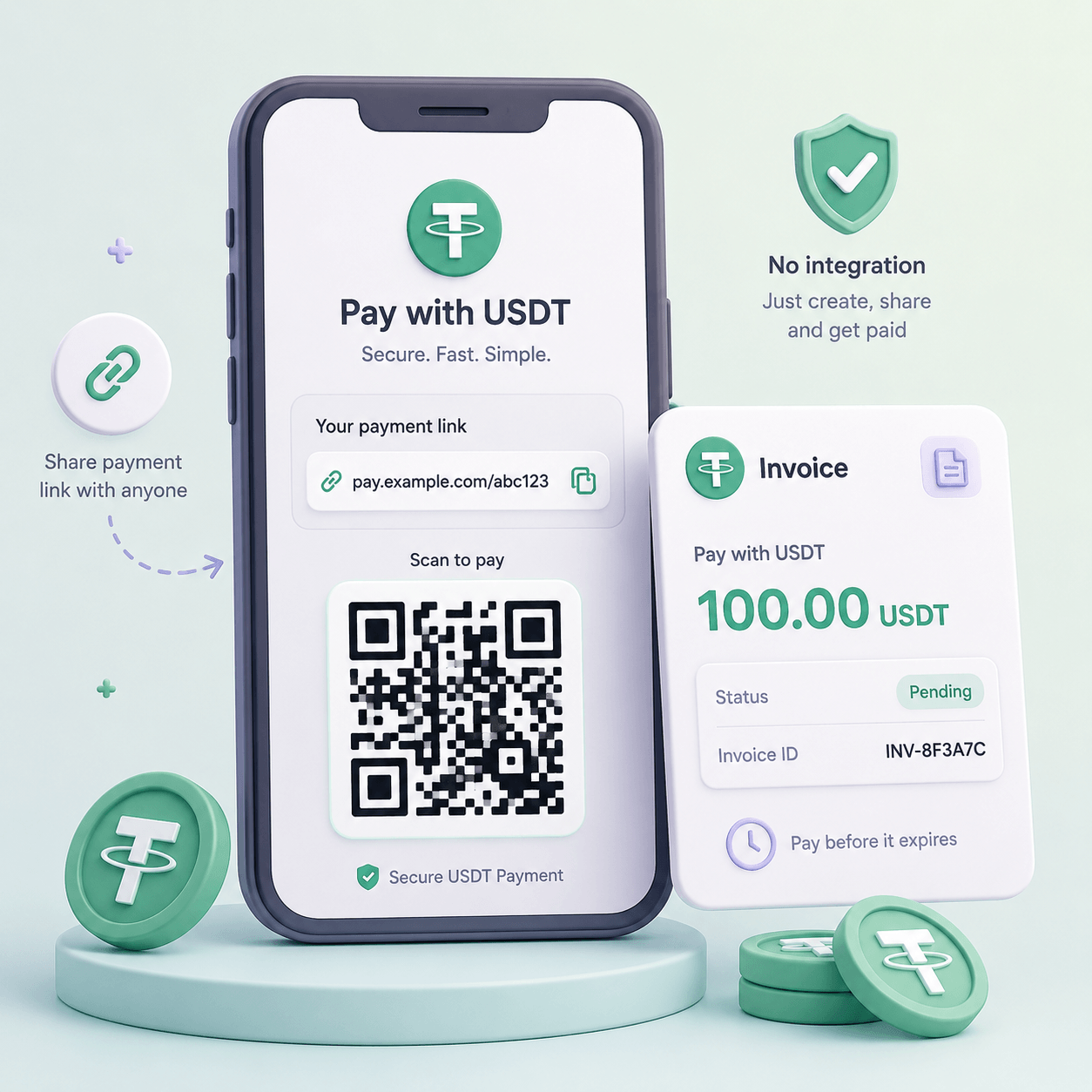
A crypto payment link is a link to a hosted payment page or invoice. The business creates a payment request with an amount, currency, network, expiry time, description, and sometimes a customer or order reference. The customer receives the link in a chat, email, invoice, dashboard, or message from a sales manager.
After opening the link, the customer sees payment details: the asset, network, amount, wallet address, QR code, timer, and payment status.
This is much better than sending a raw wallet address in a message. A raw address does not explain what the payment is for, how much should arrive, which network must be used, or whether the invoice is still valid. A payment link can connect the transfer to a specific order, account, invoice, or customer conversation.
A typical use case looks like this:
For businesses that already accept payments directly on a website, it is worth comparing links with an HTML widget for crypto payments. A link is useful when the invoice starts outside your product. A widget is better when the customer should stay inside your website or web app.
Payment links and QR invoices often work together, but they are not the same thing.
A payment link is the path to the invoice. You can send it in a chat, put it in an email, attach it to a B2B invoice, add it to a button, or share it after a customer request.
A QR invoice is the payment request in a scannable form. The QR code may appear on the hosted payment page, in a PDF invoice, in a dashboard, on a checkout screen, or even on a printed document.
In practice, the flow may look like this:
A QR code reduces manual work. The customer does not need to copy a long wallet address or type the amount manually. That matters because manual address and amount entry are common sources of crypto payment errors.
But a QR code does not remove the important questions. The payment page still needs to show the right network, exact amount, invoice expiry time, fee logic, and next step after payment.
A payment link is useful when the payment is occasional, the flow is simple, and launch speed matters more than automation.
Good use cases include:
In these cases, the business may not need a full backend integration on day one. A manager can create a payment request, send the link, wait for the status, and then manually or semi-automatically deliver the service, access, document, or confirmation.
Still, the business needs a basic process. Who checks the payment? Where is the status visible? What should the customer send if support asks for proof? What happens if the payment is underpaid? What if the customer used the wrong network?
Without answers, a “fast no-code setup” becomes manual accounting.
Some of those answers can be written down before anyone pays, on the invoice the link goes out with: which network is accepted, what counts as paid in full and a request to send back the transaction ID. What to do when the money still arrives short, too high or on another chain is covered in handling an underpaid or wrong-network crypto invoice.
A payment link becomes weak when the payment must trigger product logic automatically.
Warning signs include:
In these cases, payment links can still exist as a secondary channel, but they should not be the core payment infrastructure. The business should move toward a crypto payment API, where the backend creates invoices, receives webhook events, verifies final status, and updates product access safely.
A payment link is good for requesting money. An API is needed when money changes the state of your product.
A weak payment link is just an address and an amount. A strong payment link guides the customer through the payment.
A practical flow should include:
The goal is to remove ambiguity. A customer should not have to guess whether they can send USDT on another network, whether the amount should include the network fee, or why the order is not completed even though their wallet says “sent.”
If a customer later contacts support, the team should not rely only on screenshots. Support needs the invoice ID, network, amount, status, and TXID. The process is explained in more detail in the guide on how to check a crypto payment.
USDT is convenient for businesses because the customer sees a stable amount. But USDT exists on multiple networks. To many customers it looks like one asset. To the payment system, it is several different payment routes.
A customer may hold USDT on TRON, Ethereum, BNB Smart Chain, Polygon, or Solana. If the invoice expects one network and the customer sends funds through another, the payment may not be matched automatically. In some cases it may require manual review. In other cases it may not be recoverable.
That is why a payment link should never show only:
Pay 100 USDT
It should show something like:
Pay 100 USDT on TRON (TRC-20)
And the warning should be visible:
Send only USDT TRC-20. Payments sent on another network may not be credited automatically.
This is not a minor UX detail. Wrong-network payments create support load, delayed delivery, refund questions, and reconciliation problems.
If your business accepts USDT across multiple networks, define which networks fit your customers, fees, and support process. The guide on how to choose the right USDT network covers this decision in more detail.
Many of the people who open your payment link have never paid in crypto before, and to them "TRC20" next to an address is a strange label, not an instruction. When a first-time customer asks what they are supposed to do, you can send them a walkthrough of how a buyer pays with USDT, from getting the coins to a finished payment.
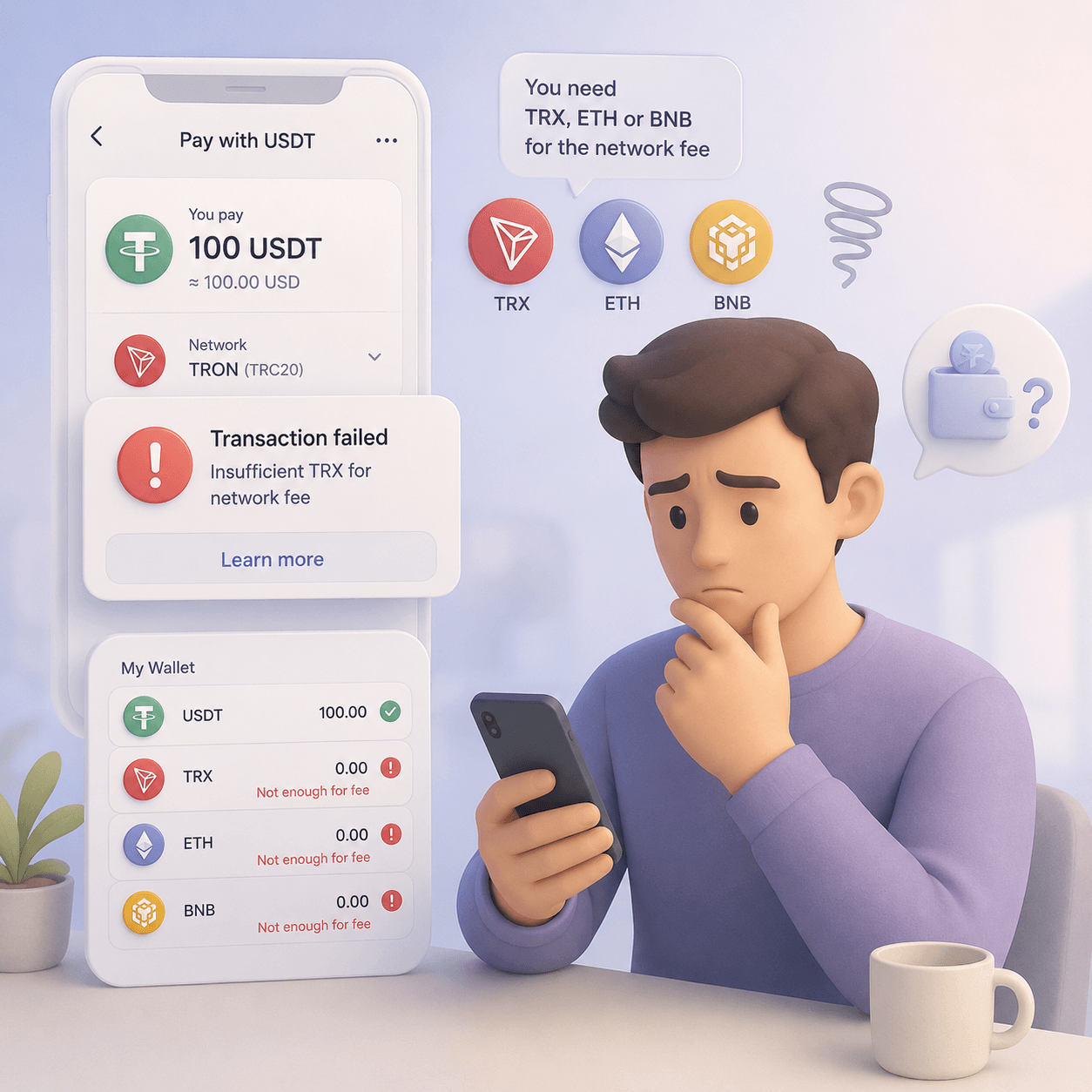
Another common issue: the customer has USDT but does not have the native token required to pay the network fee.
For example:
From the customer’s point of view, this is confusing. They have enough USDT, so they expect to be able to pay. From the business point of view, it becomes an abandoned payment, a support ticket, or a lost sale.
A payment link should explain:
This matters even more in manual flows. The more a customer has to copy, select, calculate, and confirm manually, the higher the chance of underpayment or abandonment.
If your audience often has USDT but no TRX, ETH, BNB, or SOL, review the concept of gasless USDT payments. For payment links, the key lesson is simple: the invoice should help the customer complete the payment instead of forcing them to solve network-fee logic alone.
A payment link without clear statuses is almost the same as a manual wallet transfer. The customer sends funds, and the business still has to investigate what happened.
A useful payment-link system should separate:
A single “pending” status is not enough. It does not tell the customer what is happening. It does not tell support what to say. It does not tell finance whether the payment can be treated as received.
As the number of payments grows, the business should track exceptions: underpayments, overpayments, wrong networks, late payments, manual reviews, refunds, and invoices that were created but never paid.
Telegram is one of the most natural places to use a crypto payment link. The customer talks to a manager, bot, or community admin. The business sends a link. The customer pays in USDT. The business sees the status and delivers access or confirms the order.
This works for:
But if Telegram sales become frequent, links alone may not be enough. The product may need balances, automatic access, renewals, roles, and statuses. At that point, crypto payments in Telegram should be designed as a workflow, not just a link in a chat.
For B2B, payment links are useful because the customer receives a clear invoice for a specific amount. This can work well for international services, agencies, consulting, software, and remote teams.
But B2B invoices need more control than casual payments. The invoice should include the amount, currency, network, expiry time, description, contact details, fee rules, and the next step after payment. For larger amounts, the business may also need internal approval, AML review, and a defined refund process.
Payment links work well for files, templates, courses, recordings, licenses, private sessions, or one-off access. The important question is what happens after payment.
At the beginning, a manager may grant access after checking the status. Later, access should be automated: the invoice connects to the order, the final status is verified, and the product opens only after successful payment.
Payment links are useful for growth experiments. A team can test whether customers are willing to pay in USDT before spending engineering time on a full integration.
Track practical signals:
The goal is not to stay manual forever. The goal is to learn whether the payment method deserves a deeper integration.
An HTML widget makes sense when the payment starts on your website or web app. Unlike a link sent in a chat, a widget becomes part of the customer journey: the user clicks a payment button, sees the crypto payment interface, selects the asset and network, scans a QR code, and follows the status without leaving the product context.
Move to a widget when:
A link answers: “How do we send this customer an invoice?”
A widget answers: “How do we add crypto payment to the user journey?”
Those are different problems.
API becomes necessary when payment status must change something inside your product.
Examples:
API is also important when support and finance need reliable data. A payment link can show that money was sent. API logic can connect the payment to a customer, product, order, access rule, and internal state.
Move to API when:
Payment links can be the first step. API is the infrastructure step.
Many crypto payment errors are not blockchain problems. They are instruction problems.
A better payment-link flow should:
For a deeper breakdown, read the guide on how to reduce failed crypto payments. Payment links are convenient, but weak instructions can still create wrong-network transfers, underpayments, expired invoices, and support tickets.
A payment link can improve conversion when the customer is already in a direct conversation with the business. The customer does not need to search for a checkout page, fill in a long form, or wait for a manual wallet address. The manager sends a link, and the customer pays.
But a payment link can also reduce trust if it feels disconnected from the brand.
Customers may wonder:
To avoid that friction, the payment link should clearly show the business name, payment purpose, amount, asset, network, status, and next step. The customer should understand what they are paying for and when they will receive the result.
If payment starts inside your website or app, a payment link may be less effective than a native payment experience. The broader checkout principles are covered in the guide on how to increase payment conversion.
Even if the customer pays by link, the business needs a proper dashboard. Without it, support and finance will end up checking wallets manually.
A useful dashboard should show:
For a founder, this shows whether the channel is worth scaling. For support, it reduces back-and-forth with customers. For finance, it creates a clearer path from invoice to received funds, fees, conversion, and withdrawal.
CryptumPay fits the payment-link and QR-invoice scenario when a business needs more than a raw wallet address.
A business can start with a simple payment request, but the process should still reduce manual entry, network confusion, fee mistakes, and support load. CryptumPay is designed for crypto payments on websites, apps, Telegram bots, and digital platforms, with payment flows that can use QR/app-based confirmation, network-fee handling, dashboard visibility, withdrawals, and further integration through API or an HTML widget.
This matters because payment links often begin as a fast test. If the test works, the next challenge is scale: statuses, repeat payments, support, reconciliation, AML checks, and access logic. At that point, the payment process needs to become infrastructure, not a list of wallet addresses in chat messages.
Crypto payment links and QR invoices are a practical way to start accepting USDT without a full integration. They work well for Telegram sales, email invoices, B2B services, consulting, digital products, donations, and early payment-method tests.
But they are not a complete payment system.
As volume grows, the business needs more structure:
A payment link solves the problem of sending an invoice quickly. Payment infrastructure solves the problem of accepting crypto reliably at scale. The key is knowing when you are still testing and when the payment flow has become too important to manage manually.
Create an account and connect the checkout yourself, or talk to sales and we will plan the integration with you.