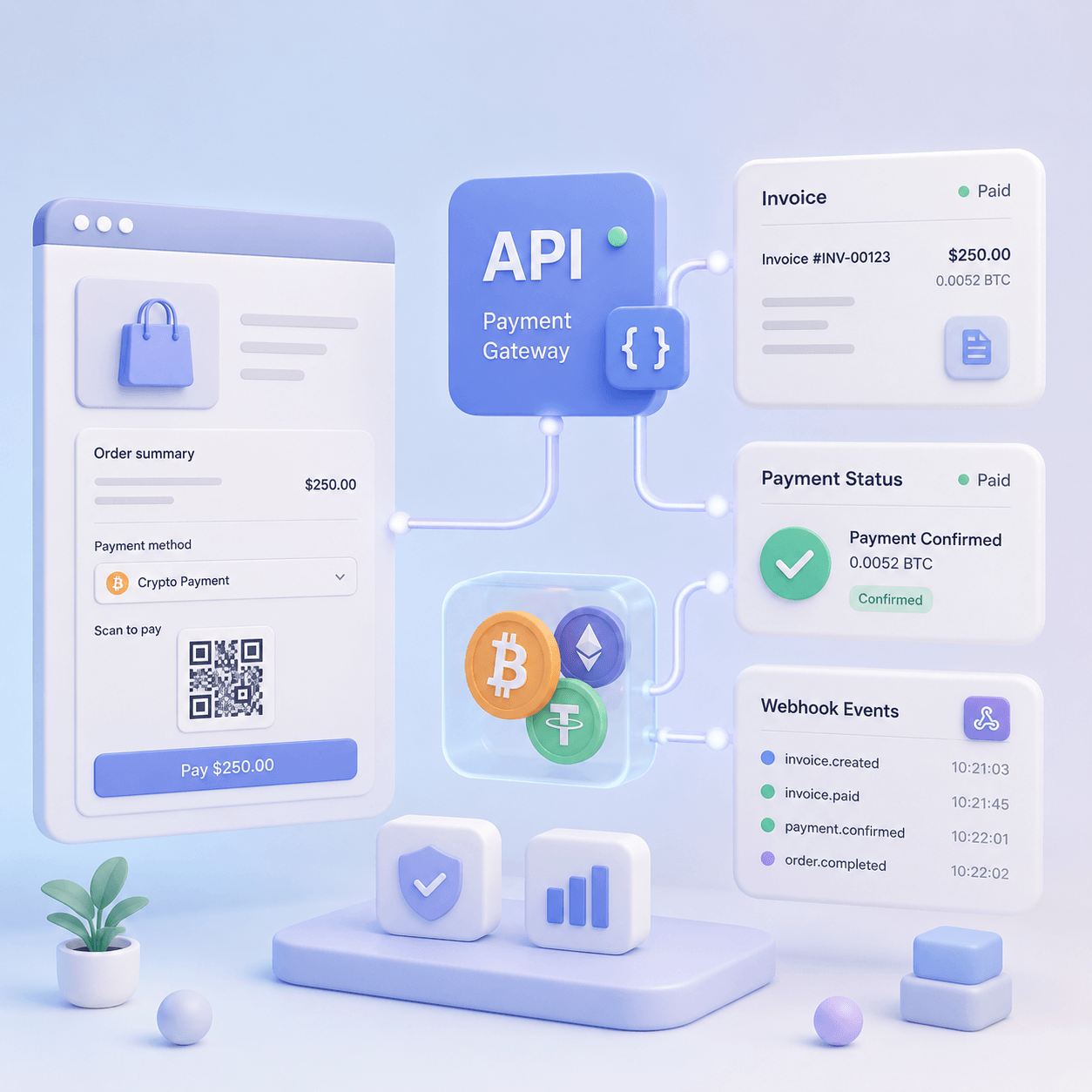
September 4, 2026
Does Stripe accept crypto payments? What you get, and what to do if you can't switch it on
Read article
You can add crypto payments to a website in several ways: with an HTML widget, an API, a CMS plugin, or a payment link. At first, this looks like a technical choice. In reality, it affects launch speed, order control, developer workload, payment conversion, support tickets, and how safely your product reacts after a customer pays.
An HTML widget for crypto payments is usually the fastest way to add a payment interface to a website without building the entire crypto checkout from scratch. An API is better when payment is part of your product logic: order status, balance, subscription, access, inventory, CRM, billing, or reconciliation. A plugin works well for standard e-commerce platforms. A payment link is useful when the invoice starts in email, Telegram, WhatsApp, SMS, or a manual sales process.
The common mistake is treating these methods as interchangeable. A widget, API, plugin, and payment link solve different problems. Sometimes the widget is better than API. Sometimes the widget should work together with API. And sometimes the business does not need a widget at all because a payment link or CMS plugin is enough.
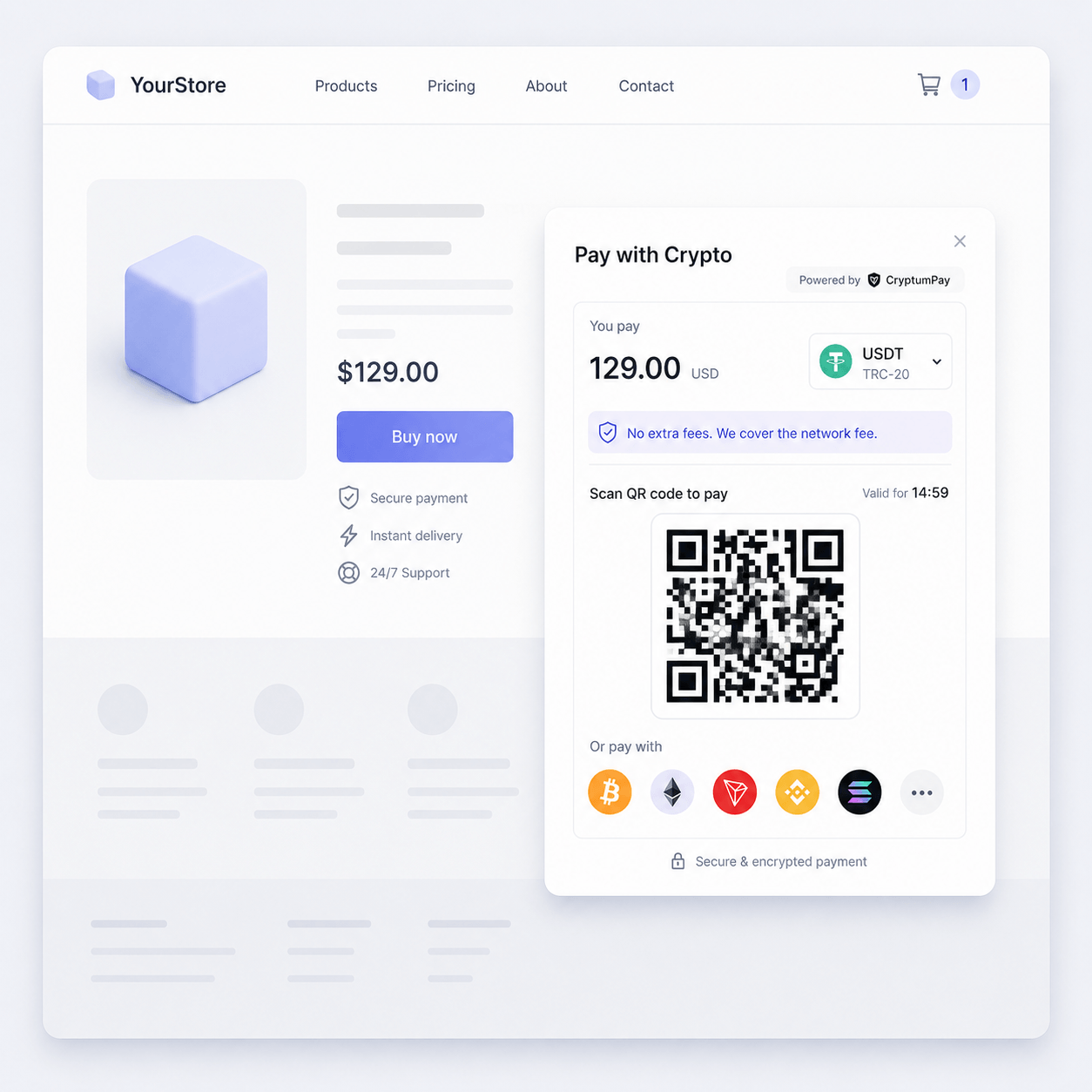
An HTML widget for crypto payments is a ready-made payment element embedded into a website or web application. It may appear as a button, block, or payment component on the page. After the customer clicks it, a payment window opens where the customer can choose a cryptocurrency and network, see the amount, scan a QR code or copy a payment address, and follow the payment status.
Unlike a basic payment link, a widget does not always send the customer to a separate page. It can open a modal window on top of the website. For a business, this matters because the customer stays inside the same product experience and is less likely to wonder whether the invoice belongs to the right order, plan, account top-up, or digital product.
Unlike a full API integration, the widget does not require the team to design every crypto payment screen from zero. The team does not need to build the network selector, address display, QR code, waiting state, expiration message, and error states as separate UI components. These parts are already handled by the payment component.
If you are still choosing how to accept crypto payments on your website, think of the HTML widget as the customer-facing layer. It can simplify the payment experience, but it still needs to be connected to business logic: order, user, status, access, balance, and fulfillment rules.
An HTML widget controls how the customer starts and completes payment on your website. It covers the interface: button, modal, currency selection, network selection, payment status, and success or failure states.
An API controls the server-side logic. With an API, your website or app can create an invoice, send the amount, receive an order ID, check status, process webhook events, connect the payment to a user, and update the internal order state. API is not mainly an interface. It is a developer tool for controlling payments programmatically.
A plugin is a ready-made extension for a CMS or e-commerce platform. For example, if a store runs on WooCommerce, OpenCart, Magento, or another popular platform, a plugin can add crypto payments to the standard checkout flow faster than a custom integration. But a plugin is usually limited by the platform’s structure and may not fit a custom product, and a WooCommerce setup that needs no plugin avoids the limit entirely.
A payment link is the simplest method. The business creates an invoice and sends the link to a customer by email, Telegram, WhatsApp, SMS, CRM, or a support chat. Payment links are useful for manual invoices, sales-assisted deals, B2B payments, and quick tests. But the customer leaves the original page, and automation is usually weaker than in a widget plus API setup.
In practice, an HTML widget is not just a “pay with crypto” button. It is the client-side layer of the payment flow. It opens a clear payment window and guides the customer through currency choice, network choice, payment instructions, and confirmation.
A typical flow looks like this:
The main benefit is that the business does not need to design the entire crypto payment screen itself. The team does not need to separately build the network selector, address display, QR code, timer, status messages, and common error states. The widget handles the payment interface, while the team focuses on the order logic and what should happen after payment.
Still, the widget should not become the only source of truth. It is useful for the customer, but the final decision to deliver a product, open access, or credit a balance should be made on the server. That is especially important for online stores, SaaS products, marketplaces, gaming platforms, hosting, VPNs, and any digital product where payment triggers an automatic action.
An HTML widget is better than API when the business needs a fast launch and the payment flow is simple enough. For example, you may have a landing page, pricing page, user dashboard, account top-up page, WebApp, or simple digital product where you want to add crypto payments without building your own payment UI.
The widget is especially useful when:
In these cases, API may be too much for the first stage. A full integration takes time: status logic, server endpoints, webhook handling, security checks, error scenarios, retries, and testing. If the immediate goal is to find out whether customers will pay in USDT, BTC, ETH, or another cryptocurrency, a widget can be the more practical option.
But “better than API” does not mean “no backend logic at all.” If the amount is fixed and payment unlocks access or delivers a product, the amount should usually be created and verified on the server. The widget can be the payment interface, while API securely creates the order and confirms the result.
There are cases where the widget can work with little or no backend. This is usually true when the customer chooses the amount and the business does not calculate price based on a cart, subscription, permissions, or inventory.
This can work for:
Even here, you need to decide how the team will reconcile incoming payments, handle mistakes, and support customers. What happens if the customer chooses the wrong network? What happens if they send less than expected? What if they close the payment window before the blockchain transaction is complete?
A crypto payment is not exactly like a card payment. The customer interacts with a wallet, network, blockchain fee, address, confirmation time, and sometimes a native token for gas. Even a simple widget should be part of a clear payment process: what the customer sees, what support sees, and where the business checks the final result.
The right integration method depends on the business model, not only on the technology. The same payment provider can work differently for donations, e-commerce, SaaS, B2B invoices, or manual sales.
This is the simplest option. The customer enters the amount, and the widget helps them complete the payment. It fits donations, tips, voluntary payments, simple top-ups, and early tests.
In this setup, the business does not always need to create an order on the server before the customer starts payment. But the team still needs a way to view payment history, reconcile incoming transactions, and resolve cases where the customer sent the wrong amount or selected the wrong network.
This approach is better for e-commerce, SaaS, plans, digital products, and paid access. The customer should not set the amount manually because the final price depends on the product, plan, discount, billing period, number of seats, or other business logic.
In this flow, the backend should create the order. The server calculates the amount and passes the prepared payment to the flow, while the widget shows the payment interface to the customer. After payment, the server verifies the status and only then marks the order as paid, opens access, or renews the plan.
This reduces the risk of client-side price manipulation and connects the payment to a specific user, internal order ID, or account.
If the product has internal balances, subscriptions, roles, multiple sellers, automated credits, abandoned payment recovery, or financial reconciliation, the widget alone is not enough.
The widget can remain the customer-facing interface, but the core logic should live on the server. The backend creates orders, stores their state, receives webhook events, checks status through API, and decides what should happen next.
This is especially important for SaaS, marketplaces, iGaming, VPN, hosting, Telegram WebApps, and digital platforms where a payment status error can create extra access, incorrect balance, or support workload.
Sometimes the widget is unnecessary. If the customer receives an invoice by email, Telegram, WhatsApp, SMS, or after a conversation with a manager, a payment link can be simpler.
Payment links work well for B2B invoices, manual sales, support-assisted payments, QR codes at events, and quick channel tests. But for a high-volume website or user dashboard, a widget is usually better because the customer stays inside the product and is less likely to question whether the payment belongs to the right order.
For most commercial websites, the best setup is not “widget or API.” It is “widget plus API.”
The widget controls the customer path: open the payment window, show the amount, currency, network, QR code, address, and status. API controls the server side: create the order, lock the amount, connect payment to the user, receive webhooks, and update the internal status.
This approach is needed when:
For example, a SaaS product sells a plan for $49. The user chooses the plan, clicks “Pay with crypto,” and the widget opens the payment window. But the order itself is created on the server with the exact amount. After payment, a webhook confirms the status, the system renews the subscription, sends an email, and updates billing.
In this scenario, the widget does not replace API. It makes payment clear for the customer, while API protects the business from price manipulation, access errors, and manual reconciliation. For a deeper server-side checklist, use the guide on crypto payment API integration.
A widget may provide client-side events. For example, the customer opened the payment window, closed it, saw a successful status, or received an error. These events are useful for the interface. They help you update the screen, show a message, suggest another attempt, or return the customer to the order page.
But a client-side event should not be the only reason to deliver a product, open access, or credit a balance.
The reason is simple: the browser is not a reliable source of financial truth. The customer may close the tab, lose connection, refresh the page, or go back. A frontend event may not reach your application. In the worst case, client-side events can be manipulated.
A webhook solves a different problem. It tells your server that something happened to the payment: the order was created, a transaction was detected, the payment is waiting for confirmations, the payment is completed, or the invoice expired. Your server receives the event, verifies it, and changes the internal order status.
The safer logic is:
This matters most for automated digital products. If a course, VPN account, SaaS plan, gaming balance, or API credit is delivered immediately after a frontend event, the business risks incorrect credits and disputes. If the final action happens only after server-side verification, the process becomes much more stable.
Full API integration is the better choice when crypto payment is part of the product engine, not just a button on a page.
API should be the foundation if you run:
In these cases, it is not enough to know that “the customer paid.” Your system needs to know which order was paid, by which user, in which currency, on which network, with what actual amount, after which confirmations, and what should happen next.
API is also important for payment recovery, retries, internal notifications, customer segmentation, finance reconciliation, and automated withdrawals. The widget can still be the frontend layer, but the center of control should be the backend.
If payments are connected to subscriptions or balance top-ups, study the scenarios in recurring crypto payments for SaaS. In SaaS, a wrong payment status can create extra access, unhappy customers, or manual work for support.
A plugin is often better than a widget when the website runs on a popular CMS and the purchase flow is standard. For example, an online store on WooCommerce or another e-commerce platform already has a cart, checkout, order statuses, customer emails, and admin panel.
In that case, a plugin can add crypto payments to the existing checkout path:
A plugin is useful because it uses the platform’s existing structure. The team does not need to manually connect a custom button to an order if the CMS already has this logic.
But plugins have limits. They are weaker when:
For e-commerce, the key question is not only whether a plugin exists. The team also needs to handle networks, statuses, underpayments, expired invoices, customer instructions, and support workflows. These issues are covered in the guide on accepting crypto payments in an online store.
A payment link is better than a widget when the payment does not start on your website. For example, a manager sends an invoice in a messenger, a customer receives a payment request by email, support sends a link after manual approval, or the business tests a new sales channel without development.
Payment links are useful for:
The main downside is that the customer moves to a separate payment page. This is not always a problem. For B2B invoices and manual sales, it may be completely normal. But for a high-volume website where payment conversion matters, the extra jump can reduce trust and create more questions: “Is this still your payment page?”, “Why was I redirected?”, “What should I do after payment?”
A payment link is a good tool, but it is not a universal replacement for a widget. It solves invoice delivery. It does not fully embed payment into the product.
For Telegram scenarios, the right choice depends on the mechanics. Sometimes a link is enough. Sometimes you need a WebApp. Sometimes you need API and automatic balance updates. The guide to crypto payments in Telegram explains these options in more detail.
An HTML widget is a bad choice when the business tries to use it for tasks that belong to server-side logic.
Warning signs include:
Pay special attention to where the amount is created. If the amount, currency, order ID, or product description is controlled entirely in the browser, the customer’s device has too much influence over the payment process. For donations, this may be acceptable. For commercial orders, it is risky.
In e-commerce, SaaS, and digital products, the amount should usually come from server-side logic. The server knows the current price, discount, plan, inventory, permissions, and internal order ID. The widget should show a prepared payment, not allow the user to rebuild the order in the browser.
You also need to handle repeated events. In real payment systems, a webhook can arrive more than once, a customer can refresh a page, and a status may not change instantly. Your business logic should be idempotent: processing the same event twice should not credit the balance twice, ship the product twice, or renew the subscription twice.
The higher the order value and the more automated the product, the more important server-side verification becomes.
An HTML widget can reduce some payment errors because it structures the payment flow. The customer sees the amount, cryptocurrency, network, QR code, address, status, and next steps in one place. That is better than asking the customer to manually copy an address, choose a network, and send the exact amount without guidance.
But a widget does not solve every crypto payment issue by itself. Crypto payments often fail because of:
A good payment flow should explain what is happening. If a USDT payment requires TRX, ETH, BNB, or another native token for gas, the customer should understand this before the payment fails, not after contacting support.
For this reason, widget UX and backend status handling should be planned together. A clean interface reduces confusion, while server-side logic prevents lost or incorrectly fulfilled payments. For more on common failure reasons, read the guide on failed crypto payments. For gas-related USDT issues, see gasless USDT payments.
Start with a product question, not a technical one: what should happen after the customer pays?
If nothing complex happens after payment, a widget or payment link may be enough. If the system must automatically update order status, open access, top up a balance, renew a plan, or notify finance, you need API or a widget plus API setup.
Choose an HTML widget if:
Choose API if:
Choose a plugin if:
Choose a payment link if:
For marketplaces, platforms with sellers, or products with payouts, the widget usually should not be the only integration layer. There are orders, sellers, commissions, disputes, payouts, and reconciliation to handle. The guide on crypto payments for marketplaces covers these challenges in more detail.
Before choosing a widget, API, plugin, or payment link, do not only ask whether the provider has the tool. Ask how the provider handles the full payment lifecycle: from first click to credited funds, reporting, reconciliation, and customer support.
Check whether the provider supports:
CryptumPay supports both API and HTML widget integration, so a business can start with a simple flow and deepen the setup as requirements grow. For example, the team can first add a widget to a pricing page, then add server-side order creation, then connect webhooks, reporting, and more advanced recurring payment flows.
Finance teams should also understand how incoming payments, fees, conversion, and withdrawals will be tracked. For that side of the process, see the article on stablecoin payment operations for CFOs.
Before publishing the widget on a live website, use a short technical checklist. Many issues do not appear during setup. They appear after the first real payments.
Check that:
This checklist is especially important if crypto payment is not just an experiment but a permanent payment method. At low volume, a team can manually investigate edge cases. At real volume, unclear statuses and weak verification quickly become support and finance problems.
For a landing page with one digital product, an HTML widget is often enough. If the price is fixed, the order is simple, and the goal is to launch crypto payment quickly, the widget shortens the path.
For an online store on WooCommerce, a plugin is often the first option to check. It can connect to the existing cart, order statuses, and customer emails. If the store is custom-built or has special logic, a widget plus API setup is usually more flexible.
For SaaS, API is almost always necessary. The widget can be the payment interface, but renewals, top-ups, access, plans, and billing status should be controlled on the server.
For Telegram commerce, the right method depends on product maturity. Manual sales may only need links. A WebApp with balance and repeat payments needs API. A simple embedded payment screen may use a widget.
For marketplaces, one widget is usually not enough. The system must connect payment to buyer, seller, order, commission, dispute logic, withdrawals, and reporting. API is the foundation, while the widget may only be the customer-facing layer.
For B2B invoices, a payment link can be better than a widget. The customer receives an invoice in email or messenger, pays, and the business reconciles the incoming funds through the dashboard or API.
An HTML widget for crypto payments is better than API when the business needs to quickly add a clear payment interface to a website without building the payment window from scratch. It works especially well for landing pages, pricing pages, donations, simple digital products, WebApps, and early tests of crypto payment demand.
API is better when payment must become part of the product logic: create an order, verify the amount, receive webhook events, update status, open access, credit balance, and feed reporting.
A plugin is better when the site runs on a standard CMS and the purchase flow is typical. A payment link is better when the invoice lives outside the website: in email, messenger, SMS, or manual sales.
The strongest setup is often combined: widget for the customer, API for the server, webhook for confirmation, dashboard for control. This lets the business start quickly without losing control when crypto payment volume grows.
In simple scenarios, yes. If you only need to embed a ready payment block and do not have complex server-side logic, a widget can be enough. For a commercial product with fixed prices, automated access, orders, or balances, a developer should connect server-side verification.
They solve different problems. The widget handles the customer interface. API handles server-side order creation, verification, and status control. For a serious product, the safer setup is usually both: widget for payment UI, API for backend control.
A plugin is better when the website runs on a popular CMS and the checkout flow is standard: product, cart, order, email, status. If the site is custom-built or payment is tied to a dashboard, WebApp, balance, or subscription, a widget plus API is usually more flexible.
Yes. This is a common path. The business can first test demand for crypto payments with a widget, then add backend order creation, webhooks, reconciliation, reporting, and recurring payment logic later.
It can be suitable as the payment interface, but not as the only logic. SaaS payments involve renewals, top-ups, access, plans, status changes, notifications, and financial reconciliation. The widget should usually work together with API and server-side processing.
Create an account and connect the checkout yourself, or talk to sales and we will plan the integration with you.