en

How do you buy crypto with PayPal, and what does it cost?

Published
20.11.2026
Updated
20.11.2026
A man in a green sweater works at a laptop showing the PayPal logo as large bitcoin, Ethereum and PayPal USD coins float above it
Contents

    If you live in the US or the UK, you can buy crypto right inside the PayPal app and pay from your PayPal balance, a bank account or a debit card. PayPal keeps the coins for you, and in the US it charges 1.5–2.2% of the amount plus a margin built into the price. In dozens of other countries, PayPal sells only one coin: its own dollar coin, PYUSD. For any other coin, you go to a crypto service that accepts PayPal as payment, such as MoonPay.

    In which countries PayPal crypto is available

    PayPal's full crypto section exists in very few countries, its dollar coin reaches many more, and what you can do differs from one country to the next. As of November 2026:

    • United States. You can buy, sell and hold crypto, send it to other PayPal and Venmo users and move it to a wallet outside PayPal. PayPal's terms have long left Hawaii out, so check the app first if you live there.
    • United Kingdom. You can buy, sell and hold, and that is all. The coins can't leave PayPal, go to a friend or pay for a purchase: to use the money, you sell for pounds first. Before the first trade, the app asks you to complete a short survey.
    • Luxembourg. On 25 June 2026 PayPal paused new purchases and new sign-ups there while it adapts to Luxembourg's new tax reporting rules for crypto, based on the OECD's Crypto-Asset Reporting Framework. Existing customers can still hold and sell, and PayPal said it expected buying to return by the end of 2026.
    • Dozens of other markets: PYUSD only. Since March 2026 PayPal has offered its dollar coin, PYUSD, in about 70 markets across Asia-Pacific, Europe, Latin America and North America, the US and the UK among them. What you can do with it varies: some countries get the full set of buying, selling, sending and receiving, others can't sell PYUSD at all, and in Singapore only business accounts get it. PayPal's help page "Where is PYUSD available?" lists each country and what is allowed there.
    • Everywhere else. If your country isn't on that list, the PayPal app has no crypto at all. PayPal can still be the payment method on services that sell crypto, as described further down.
    Start accepting crypto payments with CryptumPay
    Create your first invoice right after sign-up
    Create account

    How to buy crypto in the PayPal app with your balance or a debit card

    In the US, both personal and business PayPal accounts can buy crypto, although business accounts in New York State were left out when PayPal opened crypto to businesses in 2024. In the UK, only personal accounts can buy.

    PayPal also needs to know who you are. Your account has to be confirmed, and sending coins out of PayPal takes one more level of identity checks. Every regulated seller of crypto runs these checks, and the reasons behind them are laid out in what KYC is and why a crypto service wants your ID.

    The purchase itself takes a minute:

    1. Open the crypto section and pick a coin. In the US the list includes bitcoin, ether, litecoin, bitcoin cash, Chainlink, Solana and PayPal USD (PYUSD), PayPal's own coin pegged to the dollar.
    2. Enter the amount in dollars. Purchases start at $1, so you don't need to buy a whole bitcoin, or anything close to it.
    3. Choose how to pay. Your PayPal balance, a linked bank account or a debit card will work; a credit card or PayPal Credit will not.
    4. Check the price and the fee, then confirm. The app shows both before you buy, and the price on that screen is the price you pay.

    How you pay decides when the coins can move. Coins bought with a debit card can be sent out of PayPal right away. Coins bought from a bank account may take several days to clear first.
    One hand holds a phone with the PayPal app showing a bitcoin coin and a blue button, the other holds a blue debit card, with small bitcoin coins floating around

    Where your coins live after you buy them

    When you buy on PayPal, you don't get a wallet of your own. PayPal holds the coins for you, much as a bank holds your dollars, and your account shows how much belongs to you.

    There is no private key or recovery phrase to look after: those are the secret codes that control coins in a wallet you run yourself. That's convenient, because if you lose your phone you log in again and the coins are still there. The other side is that PayPal decides what you can do with them. In the UK, for example, they can't leave PayPal at all.

    Coins held by PayPal also don't come with the protection of money in a bank. In the US, PayPal's crypto terms say they are not insured by the FDIC, the SIPC or any other insurer. PayPal Buyer Protection doesn't cover crypto purchases either; PayPal covers only unauthorized activity on your account, provided you followed its terms.

    If you want coins that only you control, you need a wallet of your own, and in the US you can buy on PayPal and send the coins there. Which wallet fits depends on what you plan to do with the coins, so start with how to choose a crypto wallet for your situation.

    How much PayPal's crypto fees come to

    In the US, PayPal takes a fee on every purchase and every sale, and the percentage falls as the amount grows:

    • $1 to $74.99: a fee of 2.2%.
    • $75 to $200: a fee of 2%.
    • $200.01 to $1,000: a fee of 1.8%.
    • Over $1,000: a fee of 1.5%.

    On top of the fee, the rate PayPal shows includes a margin that PayPal earns, and the margin isn't shown as a separate number. So $100 of bitcoin costs you a $2 fee plus whatever the margin adds, and you get slightly less bitcoin than the market price would give. In the UK, too, the app shows the rate and the fee before you confirm.

    Other costs are smaller, or zero:

    • PYUSD. Buying and selling it costs nothing, but converting PYUSD into another coin carries a fee.
    • Holding. Keeping crypto in PayPal is free.
    • Sending to other PayPal or Venmo users. This is free as well.
    • Sending to an outside wallet. You pay the blockchain's network fee, taken in the coin you send, and PayPal adds no fee of its own. The network fee changes with how busy the network is.

    PayPal's weekly limits for buying and sending crypto

    In the US the caps are weekly, and they are set well above everyday amounts:

    • Purchases. You can buy up to $100,000 of crypto a week, with no yearly cap.
    • Transfers. You can send up to $25,000 a week, counting transfers to PayPal users and to outside wallets together.

    The week resets on Thursday for personal accounts and on Monday for business accounts. A purchase or transfer over the cap has to wait for the reset.

    How to send crypto from PayPal to your own wallet

    This works only in the US, after you pass PayPal's extra identity check for transfers. The steps:

    1. Copy the receiving address from your wallet. Take the address for exactly the coin you're sending: a bitcoin address for bitcoin, a Solana address for SOL.
    2. Open Send in PayPal. Go to the Finances tab, tap your crypto balance, tap the transfer arrows, then tap Send.
    3. Paste or scan the address. Scanning the QR code from your wallet rules out typos.
    4. For PYUSD, pick the network. PayPal sends PYUSD on Ethereum, Arbitrum and Solana, and your wallet has to accept it on the network you pick.
    5. Enter the amount, review it and tap Send Now. From that moment the transfer can't be cancelled or reversed.

    Each coin has a minimum for transfers out of PayPal:

    • Bitcoin. At least 0.001 BTC.
    • Ether, litecoin, bitcoin cash and Solana. At least 0.01 of the coin.
    • Chainlink. At least 1 LINK.
    • PYUSD. At least 10 on Ethereum, or 1 on Solana or Arbitrum.

    A wrong address, or a network your wallet doesn't support, means the coins are gone, and PayPal can't bring them back. The same few checks protect any transfer, so before your first one it's worth reading what to check before you press Send on a bitcoin transfer.
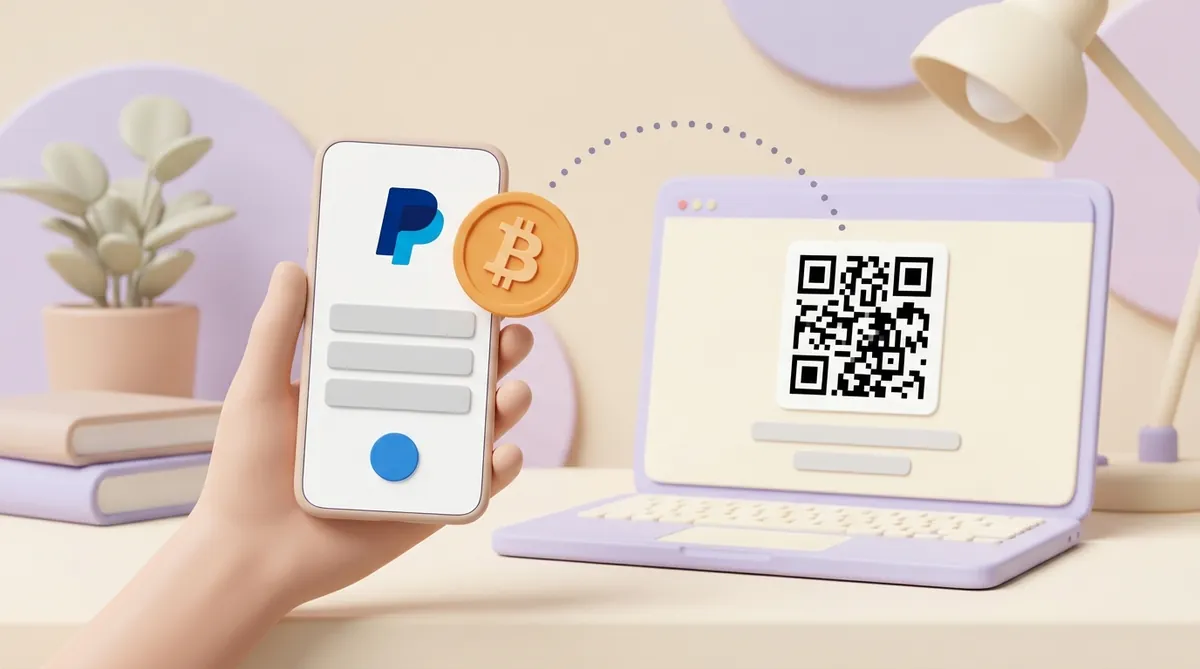
    A hand holds a phone showing the PayPal logo while an orange bitcoin coin travels along a dotted line to a laptop with a crypto wallet's QR code on its screen

    There is also a shortcut for US customers. Several wallets, including MetaMask, Phantom, Ledger and Exodus, offer PayPal as a payment method: you log in to PayPal inside the wallet, and the coins you buy land straight in it.

    The convenience costs extra:

    • Most coins. PayPal adds 1% of the amount sent to the wallet on top of the usual purchase fee.
    • PYUSD. There is no purchase fee, but PayPal takes 1.5% of the amount sent to the wallet.

    The weekly limit for this route is the lower of the two caps, so $25,000.

    How to sell crypto on PayPal and cash out

    Selling works the other way round:

    1. Sell the coin in the crypto section. You choose the coin and the amount, and the app shows the rate and the fee before you confirm.
    2. Find the money in your PayPal balance. The proceeds arrive as dollars, or as pounds in the UK.
    3. Withdraw the balance to your bank. This works like withdrawing any other PayPal money.

    In the US a sale carries the same fee as a purchase, from 2.2% down to 1.5% depending on the amount, and selling PYUSD is free.

    In the US you can also sell coins that came from somewhere else. You send them from an exchange or another wallet to your PayPal crypto address, and then sell them like coins you bought on PayPal.

    There is one more way to spend crypto in the US: PayPal checkout. When you pay a shop through PayPal, you can choose to pay with crypto. PayPal sells the coins at that moment, and the shop receives ordinary money.

    If you run a shop yourself and want the reverse, taking crypto from your customers, PayPal offers that only to some businesses. The rules are in whether you can accept crypto payments through PayPal.

    How to buy crypto with PayPal on other services

    Where PayPal offers only PYUSD or no crypto at all, or when you want a coin it doesn't sell, your PayPal account can still pay for crypto elsewhere. The main options:

    • Crypto purchase services. MoonPay accepts PayPal in the US, the UK and most of the EU. Your PayPal account has to be registered in the same country as your MoonPay account, and credit cards linked to PayPal aren't accepted. The coins go to the wallet address you give.
    • Private sellers. Some people sell crypto for a PayPal payment. On the other side there is a stranger, not a company, and if the coins never arrive, there is no company to turn to.

    Before you pay anywhere, compare the amount of crypto you will receive, not the advertised price. Each service sets its own fee and rate, and the screen just before you confirm shows what actually arrives.

    If no service in your country takes PayPal, the next option is an exchange, paid by bank transfer or card instead. Exchanges come in two kinds:

    • Centralized. A company holds the coins and matches buyers and sellers.
    • Decentralized. You swap coins straight from your own wallet, with no company in between.

    Which kind suits you depends on what you plan to do with the coins, and that choice is laid out in how to choose between a CEX and a DEX.

    Can you buy USDT with PayPal?

    Not in the PayPal app: PayPal doesn't sell USDT (Tether), the most widely used dollar stablecoin. PayPal's own dollar coin is PYUSD, and it is a different token. A person or a service that expects USDT can't simply take PYUSD instead.

    Two routes turn PayPal money into USDT:

    • Pay with PayPal on a service that sells USDT. Services such as MoonPay take PayPal as a payment method. Make sure the service offers USDT on the network your recipient expects, for example TRON or Ethereum.
    • Buy PYUSD on PayPal and swap it on an exchange. In the US, buying PYUSD costs nothing. You then send it to an exchange that accepts PYUSD on the same network and trade it for USDT, paying the network fee and the exchange's trading fee. This route needs a PayPal account that can send PYUSD out to an outside address: US accounts can, UK accounts can't, and for other countries PayPal's PYUSD availability page shows what is allowed.

    USDT runs on several networks, each with its own transfer cost, and a transfer on the wrong network never arrives. If you are new to it, read how USDT works and what moving it costs before your first transfer.

    Why PayPal crypto isn't working for you

    When the crypto section is missing, or a purchase or transfer won't go through, check these causes:

    • Your country. The full crypto section exists only in the US and UK versions of the app. Many other countries get PYUSD alone, sometimes without the option to sell it.
    • Luxembourg. New purchases there have been paused since 25 June 2026; holding and selling still work.
    • Account type. In the UK, business accounts can't buy crypto.
    • An unfinished identity check. Sending coins out of PayPal needs an extra verification level.
    • The way you pay. Credit cards and PayPal Credit can't pay for crypto.
    • A weekly limit. Purchases stop at $100,000 a week and transfers at $25,000.
    • Coins still clearing. After a purchase from a bank account, the coins may need several days before they can be sent.
    • An account restriction. A negative PayPal balance or another restriction on the account blocks crypto transfers.
    • The minimum or the network. A transfer below the coin's minimum won't go, and PYUSD needs the network to match the address.
    • A problem on PayPal's side. PayPal warns that buying, selling and transfers may be delayed or unavailable when something goes wrong.

    If none of these fits, PayPal support is the next step: it can see restrictions on your account that you can't.

    In short

    What PayPal can do for you depends on where you live:

    • In the US. PayPal is a simple way to buy a handful of major coins and, if you want, move them to your own wallet, for 1.5–2.2% plus the margin in the rate.
    • In the UK. PayPal is a place to buy, hold and sell crypto, not to send it.
    • In dozens of other countries. PayPal offers its dollar coin PYUSD alone, and what you can do with it depends on the country.
    • For coins PayPal doesn't sell, such as USDT. PayPal is just the way you pay on a crypto service.

    Questions people ask next

    Do I owe tax when I sell crypto on PayPal?

    In the US (as of 2026), selling crypto for more than you paid for it is a taxable gain, and paying for something with crypto counts as a sale too. Moving coins between your own wallets is not a sale. Crypto brokers report sales to the IRS on Form 1099-DA, starting with sales made in 2025. Rates and deadlines are in when crypto taxes are due and how much they come to.

    Does my PayPal crypto have a wallet address?

    In the US, yes, for receiving. Go to the Finances tab, tap your crypto balance, tap the transfer arrows, then tap Receive and pick the coin: PayPal shows an address and a QR code to give to the sender. Send only that exact coin to it; for PYUSD, choose the network first, and some networks, such as Stellar, also need a memo.

    Can I cancel a crypto purchase or transfer on PayPal?

    No. Once you confirm, a purchase, a sale or a transfer can't be cancelled or reversed. The one exception is crypto sent to another PayPal user who never claims it: after 30 days it comes back to you. Everything else is final, so check the address, the network and the amount before you tap Send.

    Can I send crypto to a friend on PayPal or Venmo?

    In the US, yes, and it is free: you pick the coin, choose Send and enter your friend's PayPal or Venmo details. On the PayPal side, both accounts have to be confirmed personal accounts. Venmo, which PayPal owns, also sells crypto in its own app, so if you use Venmo more than PayPal, look at what buying crypto on Venmo costs.

    This article is general information, not legal, tax or financial advice.

    Start accepting crypto payments

    Create an account and connect the checkout yourself, or talk to sales and we will plan the integration with you.