October 17, 2026
Your PayPal account is permanently limited: what to do now
Read article

Yes, if your business is in the United States. As of September 2026, PayPal lets US merchants accept crypto payments through a feature called Pay with Crypto: the customer pays from their own crypto wallet, PayPal converts the coins, and you receive dollars. PayPal charges 1.5% of the payment.
Outside the US, PayPal gives a business no way to accept crypto, and merchants in New York are left out too. Then you can still take crypto without PayPal, either straight to your own wallet or through a crypto payment gateway, and which one fits depends on how much of the work you want to keep.
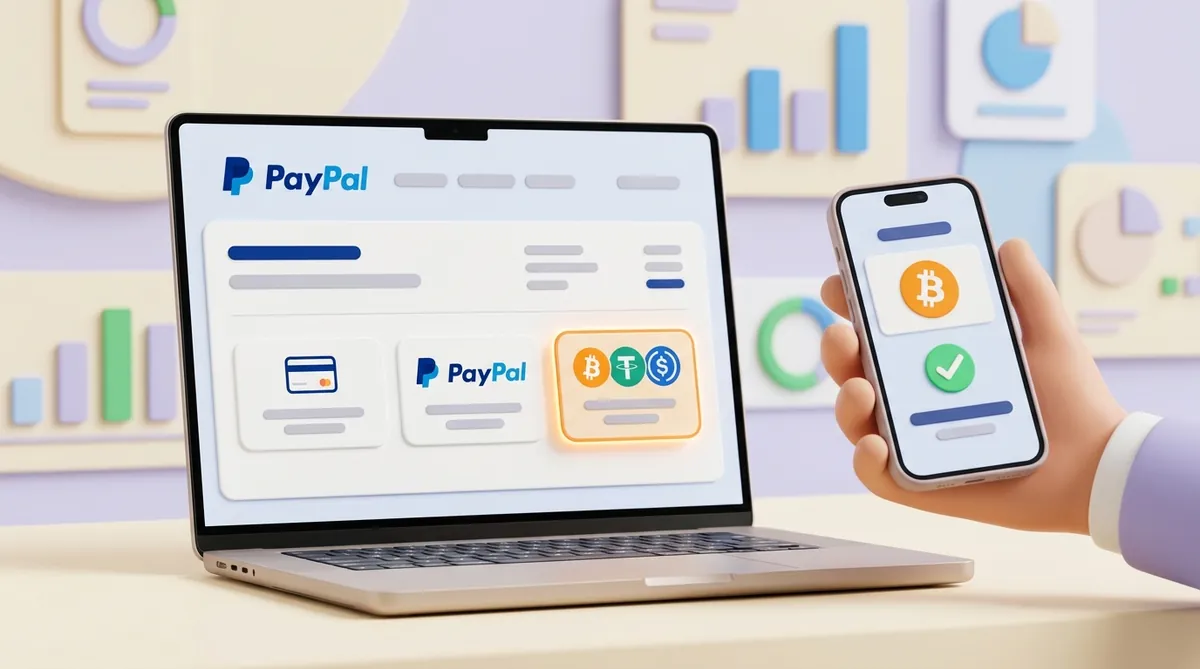
Pay with Crypto is one more payment method on your checkout, next to cards and the usual PayPal button. The customer picks it, chooses a coin and pays from wherever they already keep crypto:
The customer doesn't need a PayPal account. PayPal accepts about 100 cryptocurrencies at checkout, including bitcoin, USDT, USDC and PYUSD. PYUSD is PayPal's own stablecoin, a token designed to be worth exactly one US dollar.
PayPal converts the coins in seconds, so you never hold crypto and never ride its price swings. A customer pays for a $120 order in bitcoin, and you see a $120 sale in dollars, paid out on PayPal's usual schedule for your account.
One detail matters for customers who already keep crypto inside PayPal. As of September 2026, Pay with Crypto isn't part of the logged-in PayPal experience in the US: the option lives on the merchant's checkout, and the customer pays from an outside wallet or exchange.
The crypto buttons that exchanges offer merchants work the other way round. Binance Pay and Bybit Pay take payment from the balance a customer already keeps on that exchange, and the merchant is paid into an account at the same exchange. If a button like that sits on your list next to PayPal, weigh what a merchant gets from an exchange's own pay button.
All the conditions sit on the merchant's side. As of September 2026, PayPal lets a business use Pay with Crypto when it has:
Your customers, on the other hand, don't have to be in the US. PayPal opens Pay with Crypto to eligible customers around the world, so a US shop can take crypto from a buyer abroad.
If your business is registered outside the US, as of September 2026 there is nothing to switch on. Skip to the section on what to do when PayPal's crypto doesn't fit.

For a US merchant who meets the conditions above, the setup goes in four steps:
Since 1 August 2026, PayPal charges US merchants 1.5% of the transaction amount for a Pay with Crypto payment. If you saw 0.99% somewhere, that was the launch rate, and it ended on 31 July 2026.
On a $200 order, the Pay with Crypto fee is $3. Your customer may pay a network fee on their side for sending the coins; their wallet or exchange shows it before they confirm.
Before you switch it on, put 1.5% next to what cards and bank transfers already cost you, and weigh how crypto and bank payments differ on fees, speed and risk.
Before you promise customers crypto at checkout, know the limits. As of September 2026, Pay with Crypto has five:
Not straight from checkout. As of September 2026, Pay with Crypto converts crypto payments into US dollars.
You can convert afterwards. The primary holder of an eligible US business account can buy, hold and sell PYUSD in PayPal, and PayPal offers to move part of your balance into PYUSD automatically, a setting you can turn on or off at any time. PayPal's US fee schedule charges nothing for buying or selling PYUSD.
So the chain runs like this: the customer pays in crypto, you receive dollars, and you move as much of them into PYUSD as you want.
When Pay with Crypto is closed to you or can't do what you need, you can still take crypto without PayPal. A business can set this up in two ways, and the difference between them is how much of the work stays with you.
The simplest setup needs no service at all. You give the customer the address of your crypto wallet, and the coins land there directly.
Nobody charges you a fee for this, and the customer pays the network fee for sending. The cost is the work the wallet leaves to you:
This works for a handful of payments from people you know. Once orders come in every day, the manual checks turn into a job of their own.
A crypto payment gateway takes that work off your hands. It shows the customer the exact amount and network, watches the blockchain until the coins arrive, marks the order paid and pays you out.
Whatever gateway you look at, ask it the questions PayPal answered for US merchants:
The fee deserves a full look, not just the headline percentage, so before you sign up, work out what a crypto payment gateway really costs and how to connect it.
CryptumPay is a crypto payment gateway. It charges 1% per successful payment, down to 0.5% at higher volumes, and whatever coin the customer pays with, the business is settled in USDT.
A gateway doesn't take money in just one way. Which of its ways fits you depends on how you sell, and below is what each one is, who it suits and what it takes.
This is a button on your site with no price attached. The customer clicks it, types how much they want to give and pays from their wallet.
It suits donations, tips and pay-what-you-want pricing, where the person paying decides the amount. Adding it means pasting a script into your page, so someone who can edit your site has to do it.
CryptumPay offers this with its widget: you add one button to your site with a script, the customer enters the amount, and the button opens the full checkout in a window. The widget works only on authorized domains, so your site's domain has to be added to the CryptumPay project first.
Donations raise questions a store never meets, such as where the button belongs on a stream or in a community chat. Before you place it, it's worth reading up on how to accept crypto donations on websites, streams and communities.
In an online store, the customer shouldn't choose the price. The button sits on the checkout page, and the amount comes from the order: a $120 basket means a $120 payment.
To make that work, your site's server creates the payment with the order total before the customer pays. Creating it on the server keeps anyone from changing the amount in the browser.
This suits online stores. On a ready-made store platform, a gateway's plugin can sometimes connect it with just API keys; without a plugin, it takes a developer who connects your store's back end to the gateway. Either way, the amount always matches the order.
CryptumPay offers this too: the button opens the full checkout in a window, and the fixed order amount is created from your server with the @cryptumpay/node-sdk package for Node.js, using an API key and secret, so with CryptumPay this takes a developer. For a store, that is how you accept crypto at checkout and get paid in USDT.
A payment link needs no checkout on your site. You create an invoice for a set amount, get a link and send it in a chat or an email, and the customer opens it and pays from their wallet.
This suits freelancers, consultants and anyone who sells in messages or bills by invoice. It also covers what Pay with Crypto can't do with subscriptions: for a monthly plan, you send a fresh link every billing period.
Because nothing has to be built, links are the quickest start, and it helps to know how payment links and QR invoices work for taking USDT without an integration.
CryptumPay offers links: you create an invoice in the console and send the link anywhere, with no website and no code, and the customer needs no account because they open the link and pay directly from their crypto wallet. CryptumPay still reviews every project before live payments are enabled, so you need a website for that review even if you only plan to send links.

An API is the gateway's interface for programs. Instead of placing a ready-made button, your developer builds payments into your own site, app or platform and controls how checkout looks and what happens after the payment.
This suits platforms, apps and businesses that also pay money out, for example to sellers or users. It takes the most developer time, because your side of the integration does everything a button would otherwise do for you.
Before a developer starts, go through what to check in a crypto payment API before integrating it into a website or app.
CryptumPay offers an API for orders, deposits and payouts on its rails, with instant payment notifications via callbacks and webhooks, the messages your server receives when a payment's status changes.
PayPal's answer to crypto is Pay with Crypto, and as of September 2026 the whole question comes down to three points:
Partly. As of September 2026, XRP isn't among the coins people in the US can use inside a PayPal account; that list is PYUSD, Bitcoin, Ethereum, Litecoin, Bitcoin Cash, Solana and Chainlink. A customer can still pay a US merchant in XRP through Pay with Crypto, from their own wallet or exchange account, and the merchant receives dollars.
Yes. As of September 2026, people in the US can buy, sell and hold Ethereum in their PayPal account. Customers can also pay US merchants in Ethereum through Pay with Crypto, and the merchant gets dollars rather than ETH.
In the US, yes. People with an eligible account, including the primary holder of an eligible US business account, can receive crypto from an external wallet, and PayPal charges no fee for receiving it as of September 2026. A transfer like that isn't tied to an order in your store, though, so it isn't the same as accepting a payment at checkout.
PayPal offers crypto in the UK and Luxembourg, for buying, selling and holding coins rather than for accepting payments:
In the US, yes, if the business account is eligible and you're its primary holder; secondary users can view the crypto hub but can't trade. As of September 2026, the fee for buying or selling runs from 2.2% on amounts under $75 down to 1.5% on amounts over $1,000, and PYUSD trades carry no fee. In the UK, crypto isn't available to business accounts.
This article is not legal advice.
Create an account and connect the checkout yourself, or talk to sales and we will plan the integration with you.