May 28, 2026
HTML Widget for Crypto Payments: When It Beats API and Plugins
Read article
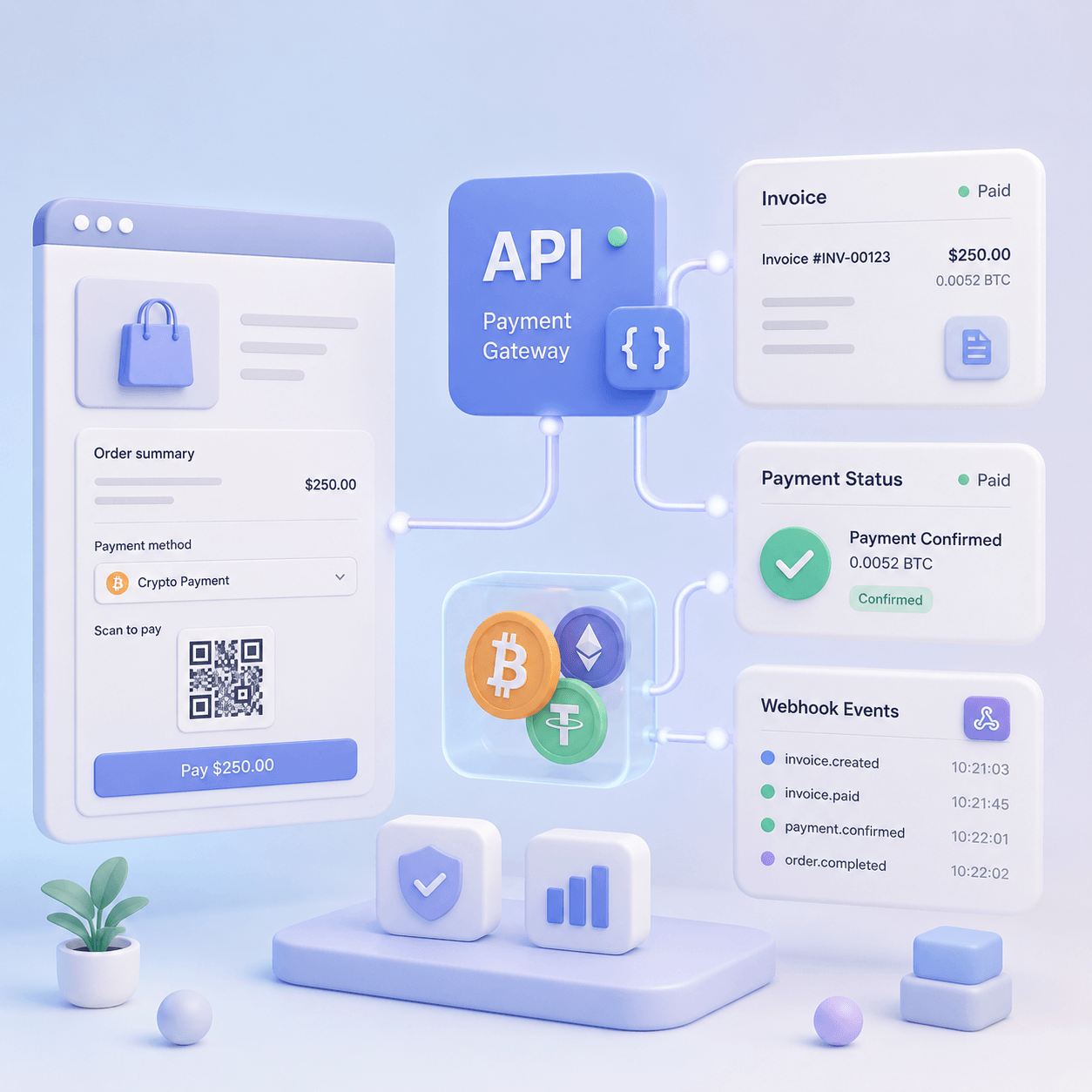
A crypto payment API is not just a technical way to add USDT, Bitcoin, or Ethereum to your checkout. For a business, it becomes part of the product logic: create an invoice, show the right currency and network, detect the transaction, update the order, open access, credit a balance, or notify support when something needs attention.
A weak integration may look fine during the first test payment. The invoice appears, the QR code works, and the transaction arrives. Problems start later: a customer pays after the invoice expires, sends less than expected, closes the payment page, uses the wrong network, or triggers the same webhook twice.
That is why choosing a crypto payment API is not only a developer task. It affects product, finance, support, security, and customer experience.
This checklist explains what to verify before you connect crypto payments to a website, app, marketplace, SaaS platform, LMS, Telegram bot, or other digital product.
Not every business needs a full API integration from day one.
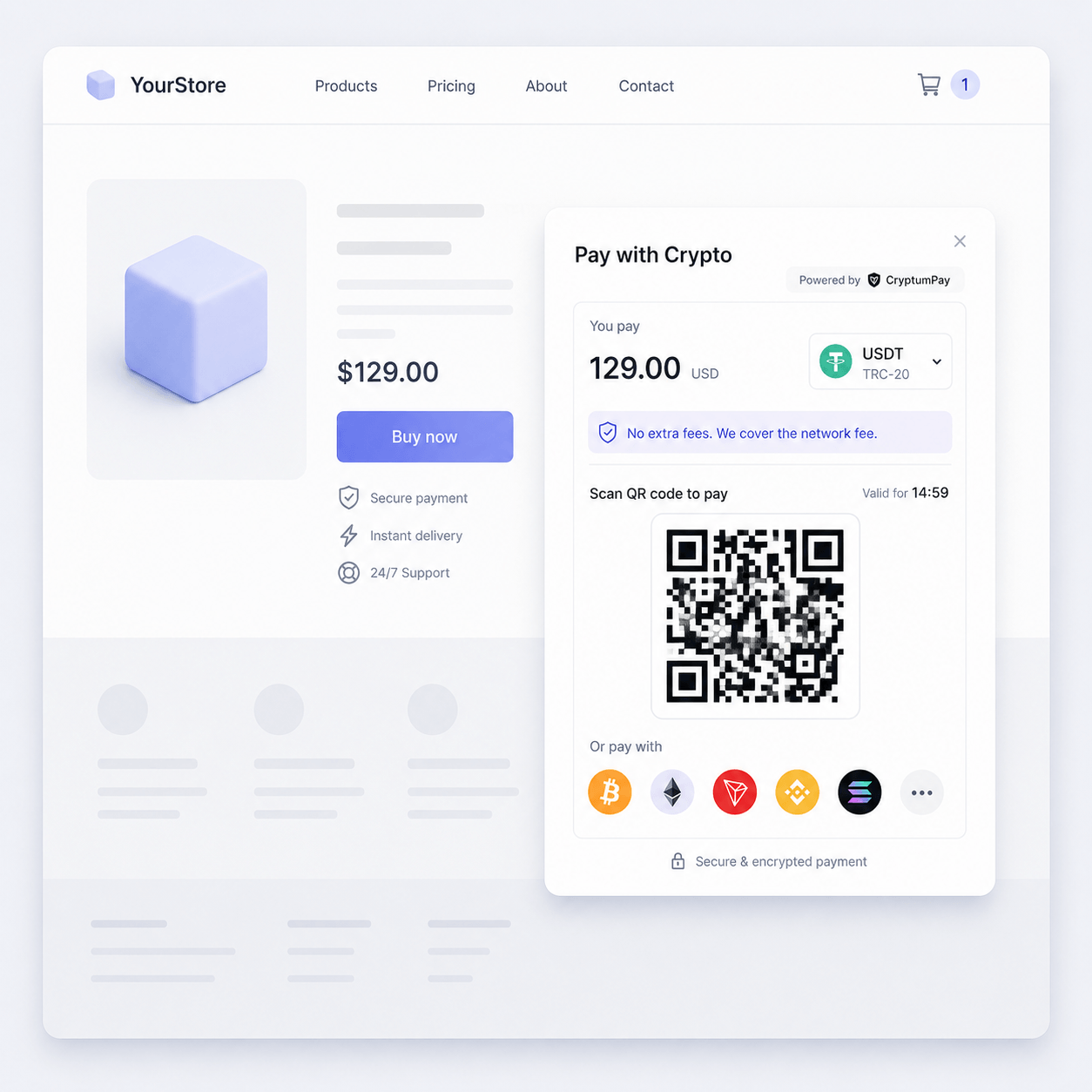
A hosted checkout, payment page, or HTML widget may be enough when the payment flow is simple. For example, a small digital product, landing page, online course, or early MVP may only need to show a payment form and confirm that the customer has paid.
An API becomes more important when payment is tied to your product logic.
You likely need a crypto payment API when:
For mobile products, the choice matters even more. In the guide to crypto payment integration in mobile apps, API integration is one of the main options for teams that need more control over the user experience and backend logic.
A simple rule helps: if something must happen automatically after payment, API is usually the safer path.
Before looking at webhooks and statuses, check how the provider creates a payment.
Most crypto payment APIs use some version of an invoice, payment request, or checkout session. The name may differ, but the idea is the same: your backend creates a payment object with amount, currency, order data, and payment instructions.
A strong payment object should support:
The order ID is especially important. Without it, your team may later search for payments by amount, timestamp, wallet address, or transaction hash. That can work at low volume, but it does not scale.
A good crypto payment API should let you pass your own order ID and return it in webhook events and status responses. This is what connects a blockchain transaction to your business process.
In a Telegram bot, the same identifiers do one more job. Alongside the order number, the order can carry the buyer's Telegram user ID, so when the webhook arrives your server knows which chat to write to, and the bot can deliver without anyone matching payments by hand. The whole bot flow, from the Buy button to delivery, is in how a Telegram bot takes crypto through a payment gateway, step by step.
Payment status is where many integrations fail.
A crypto payment is not always simply “paid” or “not paid.” The transaction may be detected, waiting for confirmations, fully confirmed, underpaid, overpaid, expired, late, cancelled, or unresolved.
Before integration, ask what statuses the API supports and what each one means.
At minimum, your team should understand:
The names do not need to be identical across providers. What matters is that the status model is clear enough for your system to make decisions.
For example, an online course may open access only after final confirmation. A SaaS balance may show “payment processing” first and credit funds later. A marketplace may wait before allowing seller withdrawal. A high-value order may need stricter confirmation logic than a small digital download.
Do not design the flow around the happy path only. Production payments include delays, late invoices, amount differences, and abandoned checkout sessions.
A common mistake is to treat the customer’s return to your website as payment confirmation.
The return URL is useful for user experience. It sends the customer back to your product after checkout. But it should not be the source of truth.
A customer may manually open the return URL. They may close the payment page before the redirect. The payment provider may detect the transaction later. The blockchain may still be waiting for confirmations.
Your backend should verify payment status server-side before it marks the order as paid.
The safer pattern is:
This applies to websites, mobile apps, Telegram bots, and embedded checkouts. Frontend events can update the screen, but they should not complete the order by themselves.
A webhook is an event sent from the payment provider to your server. It tells your system that something changed: the invoice was created, a transaction was detected, a payment was confirmed, the invoice expired, or the amount does not match.
Before integration, check what the webhook payload includes.
Useful webhook data usually includes:
A webhook that only says “paid” is not enough for a production system. Your backend needs to know which order to update, which customer to notify, whether the amount is correct, and whether the status is final.
For more complex products, the webhook should trigger several internal actions: update order status, unlock access, credit balance, send email, notify support, update CRM, or add a record for finance.
Webhook security is not optional.
Your server receives a request from outside. If you process it without verification, someone could try to imitate a payment notification and trigger access, balance credit, or order fulfillment.
Before going live, check whether the provider supports:
Your backend should verify the signature before processing the event. For sensitive products, it may also query the payment status from the API before marking the order as paid.
This may feel like extra work, but it protects the most important part of the integration: the moment when your system decides that money has been received.
Webhooks can arrive more than once. They can also arrive later than expected.
That is normal in payment systems. Providers often retry webhook delivery when your server does not respond correctly, times out, or returns an error. Network issues and distributed systems make duplicate events unavoidable.
Your integration should be idempotent. In plain terms: processing the same event twice should not create a second result.
For example, a repeated webhook should not:
Store event IDs or payment IDs, check whether the event has already been processed, and make order updates safe to retry.
For SaaS, gaming, hosting, and marketplace products, idempotency is not a nice-to-have. It prevents duplicate credits and financial inconsistencies.
Crypto payments are more complex than card payments because the same asset can exist on different networks.
USDT is the clearest example. A customer may think they are paying “USDT,” but the actual transaction can happen on TRON, Ethereum, BSC, Polygon, Solana, or another supported network. For your system, these are not interchangeable.
Before integration, check:
If your product mainly accepts USDT, do not treat it as one simple payment method. The network choice affects fees, transaction speed, customer instructions, and support cases.
The differences between USDT formats are covered in more detail in TRC20, ERC20, BEP20 and other USDT formats.
Token payments often require a native coin to pay network fees.
For example, a customer paying USDT on TRON may need TRX. On Ethereum, they may need ETH. On BSC, they may need BNB. If the customer does not have the native token, the payment may fail before it starts.
This is not only a user education issue. It affects your checkout conversion and support load.
Before choosing an API, check:
If customers often pay with USDT, gas-related friction can become one of the main reasons for failed payments. The issue is explained in detail in Gasless USDT Payments: Why Customers Fail to Pay Without TRX, ETH or BNB.
CryptumPay is designed to reduce this friction by accounting for network fees in the payment flow and helping users handle native token requirements. In an API integration, this matters because fewer manual fee calculations usually means fewer underpaid invoices and fewer support tickets.
A crypto payment API can tell you what happened. It cannot decide your business rules for you.
Your team needs to define when the order should be fulfilled.
For each product type, decide:
A digital download may be delivered quickly after final confirmation. A high-value order may need stricter checks. A marketplace may separate buyer confirmation, seller visibility, platform fee, and seller withdrawal. A SaaS product may credit balance immediately but delay certain high-risk actions.
For online education, this logic is especially important: the right student should get access to the right course only after the payment is confirmed. The article on crypto payments for online education covers this access logic in more detail.
A single successful test payment does not prove that the integration is ready.
Before launch, test the full set of payment scenarios:
If the provider has a sandbox, use it. If sandbox behavior differs from production, document the difference for developers and support.
The goal is not to make the demo work. The goal is to make the edge cases predictable.
A processor that checks its merchants holds something back until it has reviewed your company and your project. Depending on the processor, that is taking payments at all, crediting them to your balance, or withdrawing the money. If the test mode is open during the review, the scenarios above can be worked through while you wait. Before you sign up, it is worth knowing how long a crypto merchant account review takes and what you can do while it runs.
API keys must not be exposed in frontend code, mobile app bundles, public repositories, or browser-visible scripts.
Your backend should handle secret operations. The frontend can display payment UI, redirect users, or show status messages, but it should not hold secret keys that can create, modify, or confirm payments.
Before going live, check:
If several developers, contractors, or agencies work on the integration, access control becomes even more important. A payment integration should not depend on one shared admin login.
Even a strong API integration will sometimes need human review.
A customer may ask whether the payment was received. A transaction may be delayed. A finance manager may need to check a specific order. A support agent may need to explain why access has not opened yet.
Your system should store enough payment data to answer these questions without asking a developer to inspect backend logs.
A useful internal payment record should show:
Support does not need every low-level technical detail. But it needs a clear answer: what happened, what status the payment is in, and what action should be taken.
For finance teams, the same data supports reporting, settlement checks, fee analysis, and withdrawal control. Those operational questions are covered in Stablecoin Payment Operations for CFOs.
Crypto payments do not work exactly like card payments. There is no traditional card chargeback flow, but businesses still need rules for refunds, incorrect payments, overpayments, underpayments, late payments, and customer mistakes.
Before integrating the API, define:
Do not wait until the first difficult payment to decide the policy. Add the rules to your internal process, customer-facing payment terms, and support playbook.
The right integration depth depends on your business model.
A hosted checkout is often enough when you want a fast launch with low development effort.
An HTML widget is useful when you want to embed crypto payment into a website without building the full flow from scratch.
An API is the better choice when payment status must drive product logic: order status, balance, subscription, account access, course access, or internal reporting.
White Label is relevant when the payment experience must stay inside your own brand environment. This can matter for iGaming, marketplaces, mobile apps, fintech products, and platforms where trust at checkout affects conversion.
CryptumPay supports API, HTML widget, and White Label integration. That gives businesses room to start with a simpler setup and move toward deeper integration when payment logic becomes more complex.
Before you approve a provider or start development, review the integration across six areas.
Check the payment object:
Check statuses:
Check webhooks:
Check security:
Check user experience:
Check operations:
A production-ready crypto payment API should work for developers, product teams, finance, and support.
When all of these fit together, crypto payments stop being a manual wallet transfer and become part of the product.
A crypto payment API should not be evaluated only by how many coins it supports. The real question is whether it helps your business run a reliable payment flow.
Before integration, check invoice creation, order IDs, statuses, webhooks, idempotency, security, networks, gas logic, testing, support visibility, and fulfillment rules.
The strongest integration is not the one that passes one test payment. It is the one that handles real customer behavior: delayed payments, repeated webhook events, wrong assumptions, network fees, underpayments, expired invoices, and product access logic.
For a website or app, that is the difference between “we accept crypto” and “crypto payments actually work inside our business.”
Create an account and connect the checkout yourself, or talk to sales and we will plan the integration with you.