

September 16, 2026
How do I increase my checkout conversion rate so more people who reach checkout actually pay?
Read article
.png)
A crypto payment does not always fail because the customer changed their mind. Often, the customer is ready to pay but chooses the wrong network, sends USDT in the wrong token standard, forgets about the network fee, does not have the native token needed for gas, copies the address manually, or closes the checkout page before the transaction is confirmed.
For a business, this looks like abandoned checkout, a failed deposit, a disputed order, or a support ticket: “I paid, why was my balance not credited?” The higher the share of crypto payments in e-commerce, SaaS, iGaming, VPN, Telegram commerce, or mobile apps, the more important it becomes to treat failed crypto payments as a product and operations problem, not as random user mistakes.
A failed crypto payment is not only a transaction that technically failed on-chain. For a business, the broader definition matters more: the payment did not lead to the expected business outcome.
For example, this can happen when a customer creates an invoice but never sends the transaction; sends funds on the wrong network; sends less than the required amount because of fees; pays after the invoice expires; forgets to add a memo or destination tag; uses a fee that is too low; sends a transaction that cannot be matched to the order automatically; triggers a manual AML review; or does not understand the payment status and contacts support.
That is why the metric should not be purely technical. It is more useful to track invoice-to-paid conversion, payment started → blockchain detected, blockchain detected → credited, underpaid payments, wrong-network incidents, expired invoices, manual review rate, and support tickets per 1,000 crypto payments.
The broader payment UX topic connects well with the article on how to increase payment conversion. This guide focuses specifically on the crypto-related reasons payments fail.
USDT is not a single universal payment rail. A user may hold USDT on Ethereum, TRON, BSC, Polygon, Solana, or another network. If the checkout displays an address for one network and the customer sends funds through another, the payment may not be credited automatically or may require manual recovery.
A common example: the business expects USDT TRC-20, while the customer sends USDT ERC-20 or BEP-20. For the customer, this feels like “I sent USDT.” For the payment system, it is a different network, a different address context, and a different processing scenario.
What helps:
For more context, link to the guide on USDT token standards: TRC20, ERC20, BEP20, and others.
In crypto payments, the amount the business expects and the amount the customer sends may differ. If the customer has to pay 100 USDT but sends 100 USDT “including the fee,” or if the wallet deducts the fee in a way that leaves the recipient with less, the order becomes underpaid.
On Ethereum, the network fee is called gas. Gas is paid in ETH, and its amount changes depending on network demand. If the user sets the fee too low, the transaction may take longer or fail to be included in a block; if the gas limit is too low, the transaction may fail. Ethereum explains this in its gas and fees documentation.
What helps:
This section naturally links to the article on how crypto payment fees work.
A user may have USDT but no ETH, TRX, BNB, SOL, or another native token required to pay the network fee. From the customer’s perspective, this feels confusing: “I have the right crypto, so why does my wallet not let me pay?”
On TRON, the resource model is based on Bandwidth and Energy. Bandwidth relates to transaction size, while Energy is used for computations in the TRON Virtual Machine. Smart contract transactions may consume Energy as a fee, and if Bandwidth is insufficient, TRX is burned to cover the resource cost. This is described in the TRON Resource Model documentation.
What helps:
CryptumPay helps reduce this friction by allowing the network fee to be included in the invoice, so the customer does not have to calculate it manually. For the business, this lowers the risk of incorrect payment amounts. For the customer, it removes an extra checkout step.
The more manual actions the customer has to perform, the higher the risk of error. Address, amount, network, memo or tag, invoice expiration time, payment comment — each of these can become a failure point.
The riskiest scenarios are those where the customer copies the address manually, switches between the website, wallet, and messenger, enters the amount manually, chooses the network on their own, and does not return to the merchant checkout page after sending the transaction.
What helps:
CryptumPay supports a QR/app flow where customers can pay automatically after scanning a QR code without manually entering payment details. For repeat payments, the flow can be reduced to a one-button payment after the first successful transaction.
Crypto invoices often have an expiration time. This is needed because of volatility, exchange rate locking, reserves, order statuses, and reconciliation. But the customer may still send the transaction after the timer expires.
For the business, the issue is not only the late payment itself. The team must decide what to do with the funds: credit them at the old rate, recalculate the amount, refund the user, send the case to manual review, or ask support to investigate.
What helps:
The customer sends the transaction and waits. Their wallet may show “sent,” while the business has not credited the order yet because the transaction does not have enough confirmations or has not been matched to the invoice.
If the checkout does not explain this gap, the customer may close the page, pay twice, or contact support.
What helps:
Some assets and exchange deposit flows require a memo, tag, or destination tag. If the customer sends funds without this additional identifier, the funds may reach a shared address, but the system may not be able to match the payment to the right user or order.
What helps:
Not every failed payment is caused by a user mistake. Sometimes the transaction arrives technically, but it requires review because of source-of-funds risk, sanctions exposure, suspicious patterns, or internal business rules.
This is especially relevant for iGaming, fintech, high-risk verticals, marketplaces, VPN services, and international digital businesses. Still, businesses should not treat AML/KYC as a universal checklist that works the same everywhere. Requirements depend on jurisdiction, business model, customer base, and provider setup.
What helps:
This connects naturally to the article on AML, KYC, and secure crypto payments.
Even if the first crypto payment succeeds, the second one may fail again: the customer has to choose the network, copy the address, open the wallet, calculate the fee, and wait for confirmation. For iGaming, gaming, SaaS, Telegram commerce, and mobile apps, this is especially painful because repeat deposits, top-ups, and renewals are critical to revenue.
What helps:
CryptumPay supports instant repeat deposits: after the first payment, the customer’s payment details can be saved, and future payments can be completed with one button. Confirmation can be done through Face ID or Touch ID in the app.
Before changing the checkout, the team needs to understand exactly where the payment breaks.
A basic event set should include:
With this data, the team can build a funnel: how many users selected a network, how many sent a transaction, how many transactions were detected, how many were credited automatically, and how many required manual handling.
Without this map, teams will argue based on assumptions: “fees are too high,” “customers do not understand TRC-20,” or “wallets are inconvenient.” Event data shows where the actual loss happens.
Wrong-network errors often happen because the checkout shows the address and amount first, while the network is secondary. For crypto payments, this is a weak pattern.
A better payment instruction looks like this:
Pay 100 USDT on the TRON network (TRC-20)
Address: T...
Important: send only USDT TRC-20. Payments sent via ERC-20, BEP-20, or another network will not be credited automatically.
To explain the difference between networks and USDT formats, link to the guide on TRC20, ERC20, BEP20, and other USDT token standards.
The user should not decide which part of the amount goes to the recipient and which part should be left for the network fee. This is one of the main sources of underpayment.
A practical approach:
In CryptumPay, the network fee can be included in the invoice so the customer does not have to calculate it manually and the business receives the expected amount.
It is not always useful to show every network with equal priority. If most of the audience pays with USDT TRC-20, this network can be recommended by default. If the audience is more technical and uses EVM wallets, Ethereum, BSC, or Polygon may be relevant. If the audience is mobile-first, wallet support and deeplink UX may matter more.
Network recommendations should account for average order value, geography, popular wallets, network fees, confirmation speed, probability that users have the native token, and historical support cases.
This section can link to the article on TRON crypto payments for business.
Manual transfer is useful as a fallback: not every user wants to install an app or use a deeplink. But the manual scenario is where many errors happen.
A better structure:
CryptumPay separates the standard manual scenario from the automated flow. In the manual scenario, the customer chooses the currency and network, transfers funds, and accounts for the fee. In the automated scenario, the payment can use a QR code, app flow, and biometric confirmation.
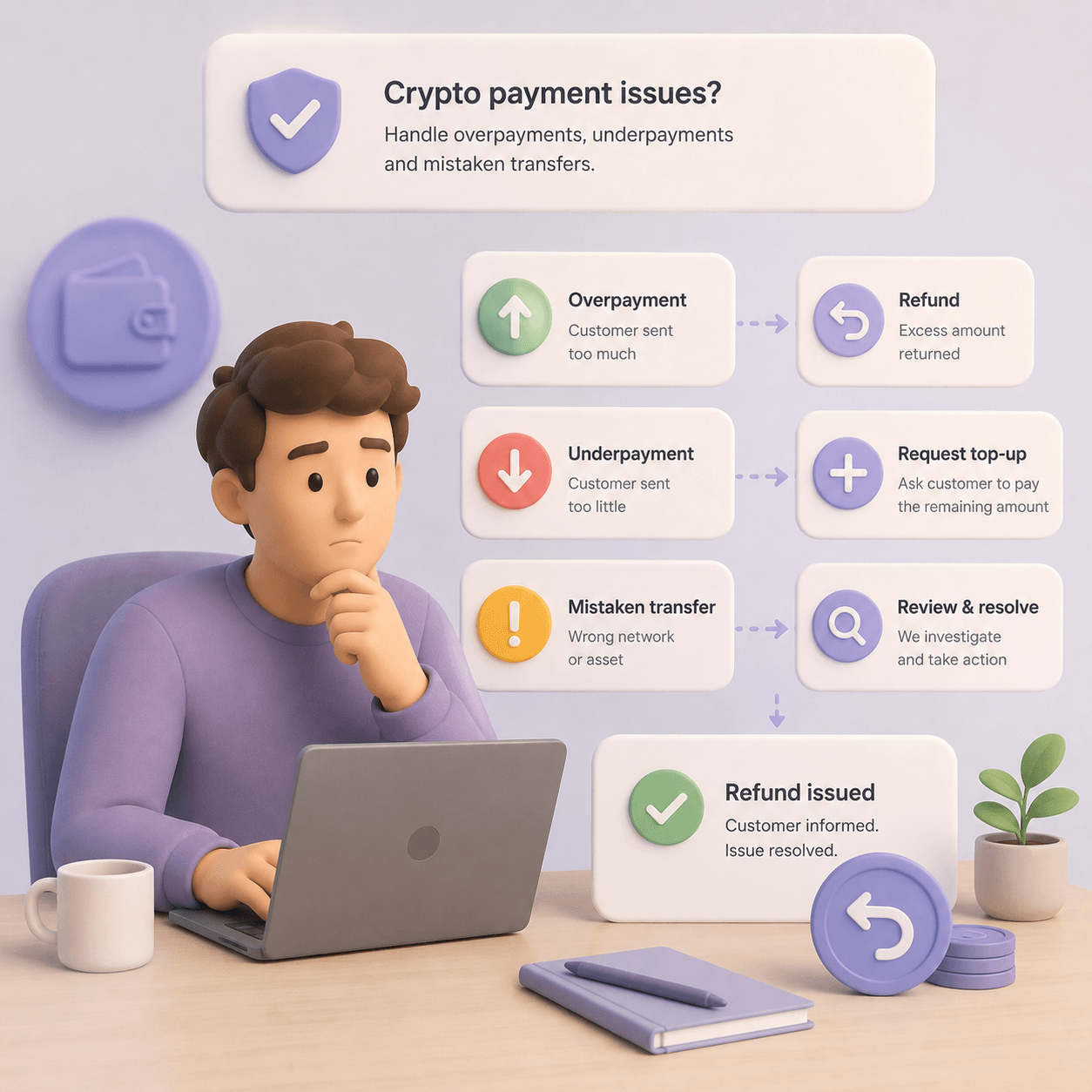
Underpayment should not become a support emergency every time it happens. The business should define the rules in advance.
Possible approaches:
Overpayment also needs a policy: return the difference, credit it to balance, recalculate the order, or send it to manual handling. For iGaming and wallet-based products, crediting the balance is often easier. For e-commerce orders tied to specific goods, it is more complex.
The invoice timer should control the interface. A weak pattern is when the timer expires but the address and QR code remain active. The customer sends funds, and the business receives a late payment that does not match the expected flow.
A better approach:
Even a good checkout will not eliminate every edge case. But it can reduce the cost of handling them.
A support playbook should define:
For the business, it helps to connect the payment dashboard, transaction history, transaction hash, and support ticket. CryptumPay provides a merchant dashboard, operation history, manual and automatic withdrawals, and automatic conversion of incoming payments into USDT.
For businesses with deposits, top-ups, and subscriptions, the key question is not only whether the first payment succeeds. It is also how quickly the customer can pay again.
This is especially important for iGaming and betting, gaming services, mobile apps, Telegram commerce, SaaS subscriptions, wallets, digital products, donations, and creator platforms.
After the first successful payment, the repeat flow can be simplified: fewer manual steps, clearer history, faster amount selection, app confirmation, and a saved payment scenario where the model allows it.
For the iGaming context, link to the article on how to accept payments in an iGaming business. For mobile products, link to the guide on crypto payments in mobile apps.
When choosing a crypto payment gateway, it is not enough to compare supported coins and fees. To reduce failed payments, the gateway should cover the actual failure points.
Check whether the solution can:
CryptumPay provides an API and HTML widget for integration, as well as AML checks, 2FA, white label options, and integration support. These functions matter not only for launching crypto payments, but also for reducing operational errors after launch.
For broader vendor evaluation, link to the article on how to choose a crypto processing platform.
Do not measure improvement only by total payment volume. Volume may grow because of marketing, seasonality, or one large customer, while checkout issues remain unchanged.
The most useful metrics are:
A good goal is not simply “fewer errors.” The better goal is operational clarity: where users make mistakes, which errors can be removed through interface design, which require processing rules, and which need support handling.
The customer chooses “Pay with cryptocurrency.”
First, they see recommended options:
After choosing USDT TRC-20, the checkout shows:
After the transaction is sent, the checkout status changes:
If the amount is lower than expected, the system should not stay silent. It should show the next step: “pay the missing X USDT,” “credit to balance,” or “contact support,” depending on the business rules.
Instructions matter, but text cannot save a weak flow. If the customer has to read five warnings, manually choose the network, copy the address, calculate the fee, and avoid entering the wrong amount, the problem is not that the customer “did not read carefully.”
Do not rely only on:
It is better to reduce the possibility of error itself: QR codes, autofill, fixed network selection, fee logic, one-click repeat payments, clear status updates, and automatic transaction matching.
The main issue is matching a specific order with a specific payment. Invoice ID, expiration time, correct amount, and automatic crediting are critical. Late payments and underpayments should have predefined handling rules.
How to accept cryptocurrency payments in an online store.
SaaS businesses care about renewals, recurring-like flows, international payments, and accounting clarity. A failed crypto payment can lead to account suspension, customer disputes, or manual subscription corrections.
How SaaS companies can accept international payments.
In iGaming, deposit speed and repeat top-ups are critical. If a player leaves to buy TRX for fees or waits through an unclear pending status, the deposit may never happen. One-click deposits, fast statuses, balance-based models, and popular network support matter especially here.
Why simple crypto payments matter for online casinos.
In Telegram, the user does not want to leave the flow for a complex external checkout. The fewer switches between bot, website, and wallet, the lower the risk of abandoned checkout. Short instructions, deeplinks or QR codes, clear statuses, and a fast return to the bot matter.
In mobile apps, friction and screen switching are especially visible. App-to-wallet flow, biometric confirmation, push statuses, and saved repeat payment scenarios can reduce incomplete payments.
Crypto payments in mobile apps.
Before launch or redesign, check the following:
Failed crypto payments usually happen at the intersection of UX, network fees, network selection, payment statuses, and operating rules. They cannot be reduced by adding one more warning to checkout. The payment flow should be designed so the customer enters less manually, understands the network and fee earlier, sees the status after sending funds, and does not repeat the full payment process every time.
For a business, the practical minimum is to measure the invoice → transaction detected → credited funnel and separately track wrong network, underpayment, expired invoices, and support tickets. After that, the team can improve specific points: network selection, fee logic, QR/app flow, timers, top-up rules, manual review, and repeat payments.
CryptumPay can be considered in scenarios where a business needs to accept crypto payments on a website, in an app, or in a Telegram-based platform; reduce manual input; include network fees in the invoice; support popular networks; and convert incoming payments into USDT without turning checkout into a set of instructions for the user. API, HTML widget, merchant dashboard, AML checks, and 2FA help cover not only UX, but also the operational side of accepting crypto payments.
Common reasons include the wrong network, incorrect amount after fees, expired invoice, missing memo or tag, insufficient network confirmations, or manual review. The business should check the transaction hash, network, amount, invoice ID, and crediting status.
Underpayment means the customer sent less than the expected amount. For example, the order is 100 USDT, but the system receives 99.2 USDT because of a fee or input error. These cases need predefined rules: request the missing amount, credit to balance, cancel, or send to manual review.
Show currency and network together: USDT TRC-20, USDT ERC-20, USDT BEP-20. Use separate QR codes and addresses for each network, warn users before payment, and do not make them choose the network at the last moment.
In many networks, the fee is paid not in USDT itself, but in the native token of the network: ETH on Ethereum, TRX on TRON, BNB on BSC. If the user has USDT but no native token, the wallet may not allow the transaction.
A customer stuck here rarely writes to support: more often they close the tab, because nobody told them that paying in USDT might need a second coin. Linking a plain explanation from the checkout or from a support reply heads that off. The fee coin is covered there along with every other step, in a first-time buyer's guide to paying with USDT.
No. Network delays, user mistakes, risk review, and wallet differences will always exist. But the failure rate can be reduced significantly by removing manual input, clearly showing network and fee information, improving statuses, defining underpayment rules, and preparing support workflows.
Create an account and connect the checkout yourself, or talk to sales and we will plan the integration with you.