October 23, 2026
What is a node in crypto, and what does it actually do?
Read article

A TRC-20 payment gateway gives each customer a one-time address on the TRON network and the exact amount of USDT to send, then watches the blockchain until the transfer is final and marks the order paid by itself. You stop matching transfers to orders by hand, and the money collects on a balance that you withdraw to your own wallet. To start, you pick a gateway that takes USDT on TRON, pass its checks and choose how customers reach the payment: a link, a button on your site or an API.
TRON is a blockchain: a public network that keeps a record of who sent what to whom. TRC-20 is the standard for tokens that live on TRON, and USDT TRC-20 is Tether's dollar token on that network. One USDT is designed to be worth one US dollar, so a price of 100 USDT means about 100 dollars to your customer.
TRON also has its own coin, TRX. Every transfer on the network is paid for in TRX, a USDT transfer included. Keep that in mind: a customer can hold plenty of USDT and still be unable to pay you.
For the customer, paying in USDT on TRON has three practical advantages:
TRON doesn't have to be your only network. Which others to add depends on where your customers keep their money, and that choice is laid out in which network a business should take USDT on.
A gateway is not the only option. The three routes differ in how much of the work stays with you:
Your own address works while orders are rare. A wallet shows that 100 USDT just arrived; it can't tell you whether the money came from order 1042 or order 1043, and with two customers paying the same amount on the same afternoon, you're left guessing.
Self-hosting on TRON has a cost that is easy to miss. Each customer pays into a separate address, and moving the USDT out of each one is a new transfer that needs energy, the resource TRON charges for running a token transfer. Your server has to keep TRX on every deposit address or rent energy for it, and someone has to watch that budget.
The wider trade-off, beyond TRON, is weighed in whether to self-host a crypto payment gateway or plug in a hosted one.
From the customer's click to money on your balance, a TRC-20 payment passes six steps:
The one-time address is what does the matching. With one shared address, two customers who each pay 100 USDT a minute apart look identical; with an address per payment, the address itself says which order the money belongs to.
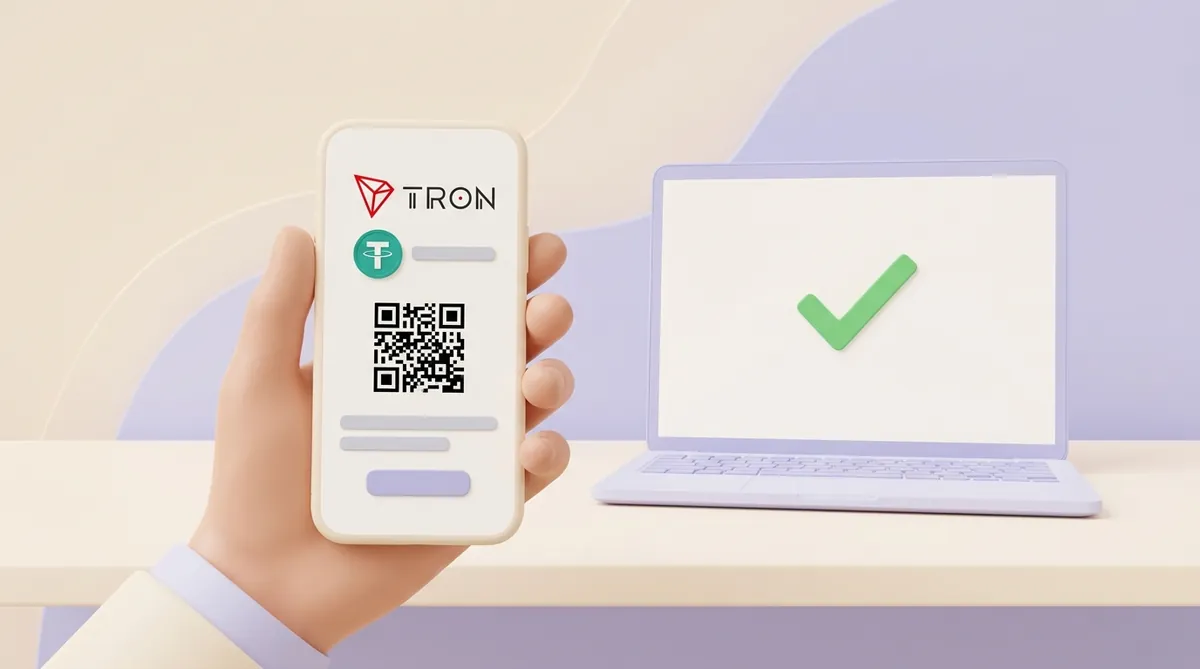
Every transfer also gets a transaction hash, a unique ID for that transfer. When a customer says they paid and the order still shows nothing, the hash is the first thing to ask for, and you can look it up yourself using how to read a crypto transaction in a blockchain explorer.
The customer pays it. Whoever sends a transfer pays the network, in TRX, so the price on your invoice stays whole and the fee comes on top for the customer. If the invoice says 100 USDT, 100 USDT is what has to arrive.
How much depends on energy. A sender who has staked TRX (locked it to earn energy) or rented energy pays with that; for a sender without it, the network burns TRX instead. From late August to late September 2026, nearly nine USDT transfers on TRON in ten were paid entirely with the sender's own energy.
For a sender without any energy, the burn in that period came to:
A customer paying from an exchange sees neither figure: the exchange charges its own withdrawal fee and settles with the network itself. The same costs for the other networks sit side by side in what a USDT transfer costs on each network and how long it takes.
A crypto transfer can't be reversed, so problems have to be caught before you ship. On TRON, payments stumble in four places:
The last three depend on the gateway's rules: whether it waits for a top-up, lets you accept a short payment, or sends the money back. That's why they lead the list of questions below.
The missing TRX is different: it stops the payment before it starts, and only the customer can fix it. A short line next to the amount, saying the transfer needs a little TRX, heads off part of it; when a customer writes in anyway, you can point them to what to do when there's not enough TRX to send USDT.
Before you connect anything, get clear answers to six questions:
The fee on a landing page isn't always the whole cost. A withdrawal fee or a conversion spread, the gap between the rate you get and the market rate, can sit on top of it; how the layers add up is explained in how crypto payment fees work, from network fees to gateway fees.
As of October 2026, in the EU and the US, a seller that takes crypto for its own goods generally needs no special licence. The rules there are written for services that hold, exchange or send crypto on other people's behalf, not for the shop at the end of the payment:
Countries beyond these two are covered in whether a business may legally accept crypto payments.
Six steps take you from choosing a gateway to the first paid order:
A TRC-20 gateway can reach your customers in three ways:
If you sell through chats or bill clients one by one, links alone are enough to start, and here is how to accept USDT with payment links and QR invoices, without a full integration.
CryptumPay is a crypto payment processor, not a wallet: it takes payment from customers and pays out to the address the merchant specifies. USDT on the TRON network is available, and TRX is among the coins it accepts.
The customer picks the coin and the network in the checkout window and pays to a one-time deposit address issued for that payment, shown with the exact amount and a QR code. The merchant chooses how that window reaches customers:
CryptumPay's fee is 1% per successful payment, down to 0.5% at higher volumes, and the merchant can pass it on to the customer. Whatever coin arrives is converted to USDT as soon as it lands, so the balance never sits in a coin whose price swings. Sign-up and the details are on the CryptumPay crypto payment gateway page.
Withdrawals go out at any time, with no minimum amount, manually or automatically, to any address the merchant specifies. Identity verification (KYC) is mandatory for every merchant, and withdrawals open once it's done.
A TRC-20 gateway does three jobs you would otherwise do by hand: it gives every payment its own address, waits until the transfer is final and credits the right order. The customer pays the network fee in TRX; you pay the gateway's fee. Before you sign up, check how the gateway treats short and late payments, what a withdrawal costs and whether USDT stays USDT, then run one test payment before real customers do.
Through a gateway, customers pay into its one-time addresses, and the money reaches you when you withdraw it to an address you name. That address can be a TRON wallet you control or an exchange account with a TRON deposit address. A self-custody wallet keeps the keys with you; an exchange is handier if you plan to turn USDT into your own currency. Before you pick one, it helps to know how TronLink holds TRC-20 USDT, what it charges and how safe it is.
You can, if the gateway takes TRX as well as USDT. The catch is the price: TRX moves against the dollar, so a payment worth $100 today may be worth less by the time you withdraw it. A gateway that converts incoming coins to USDT on arrival removes that risk, so ask about conversion before you switch TRX on.
The gateway connects to the TRON network itself, watches for transfers and tells your site when a payment is final. Your code only sends requests to create orders and receives status updates, either by asking the gateway or at an address on your server that the gateway calls when the status changes. You don't need a TRON node for this: running one, or paying a TRON API provider, is your job only if you self-host.
A TRC-20 transfer can't be reversed, so a refund is a new transfer from you to the customer. Ask the customer for an address on the same network, confirm it in writing, and remember that this time you pay the network fee. Overpayments, partial refunds and money sent by mistake each need their own handling, set out in how businesses should handle crypto refunds, overpayments and mistaken transfers.
This article is general information, not legal or tax advice.
Create an account and connect the checkout yourself, or talk to sales and we will plan the integration with you.