en

How do I increase my checkout conversion rate so more people who reach checkout actually pay?

Published
24.04.2025
Updated
16.09.2026
C1 funnel illustration
Contents

    To increase your checkout conversion rate, start by counting, not by redesigning. The checkout conversion rate is the share of people who reach checkout and then pay. In Littledata's 2023 data on Shopify stores the average was about 45%, so if roughly half your buyers leave at checkout, you are close to that average, and there is still plenty to improve.

    The rate alone won't tell you what to fix, so split the loss into two leaks:

    • Buyers who leave before pressing "Pay". The usual cause is a surprise in the total, a forced account or a long form.
    • Buyers who press "Pay" and whose payment fails. A bank declines, the page errors out, or the buyer can't follow the payment instructions.

    Below we go through how to calculate both, what counts as a good rate and which fixes to make first.

    How to calculate your checkout conversion rate

    Checkout conversion rate answers one question: of the people who got as far as checkout, how many paid? Everyone who browsed and left earlier is outside the count, so the number measures the checkout itself, not your product pages or your ads.

    The formula is simple: checkout conversion rate = paid orders ÷ checkouts started × 100.

    Say that in one week 400 sessions reached checkout and 180 of them ended in a paid order. 180 ÷ 400 × 100 gives a checkout conversion rate of 45%.

    Four habits keep the number honest:

    • Count the same unit on both sides. Divide sessions by sessions or people by people; mixing the two skews the rate in whichever direction it happens to.
    • Count only paid orders. An order that was created but never paid is exactly the loss you are trying to find, so it belongs in the denominator, not the numerator.
    • Leave out test orders and renewals. Your own test purchases inflate the rate, and subscription renewals are charged without a checkout, so they fail and recover by their own rules, which differ from a first purchase, as with renewals, top-ups and saved payment flows in SaaS.
    • Compare weeks, not days. With 50 checkouts a week, five orders more or fewer move the rate by 10 points, so a single day tells you almost nothing.

    What counts as a good checkout conversion rate

    There is no universal good rate. A store selling $15 phone cases and a store selling $2,000 laptops lose buyers at checkout for different reasons and at different rates. There are, however, three benchmarks worth knowing:

    • About 45% was the Shopify average in 2023. Littledata, which analysed data from about 2,800 Shopify stores that year, put the average there, with mobile slightly lower than desktop (about 44% against 49%).
    • Above about 65% is where the best stores are. In the same data, the top tenth of stores turn roughly two out of three checkouts into orders.
    • About 70% of carts are abandoned. Baymard Institute arrives at this average across some 50 studies, but it counts from the cart, not from checkout, so don't hold it against your checkout conversion rate directly.

    The benchmark that tells you the most is your own rate over time. If it drops the week you changed shipping prices, updated the theme or switched payment providers, you already know where to look.
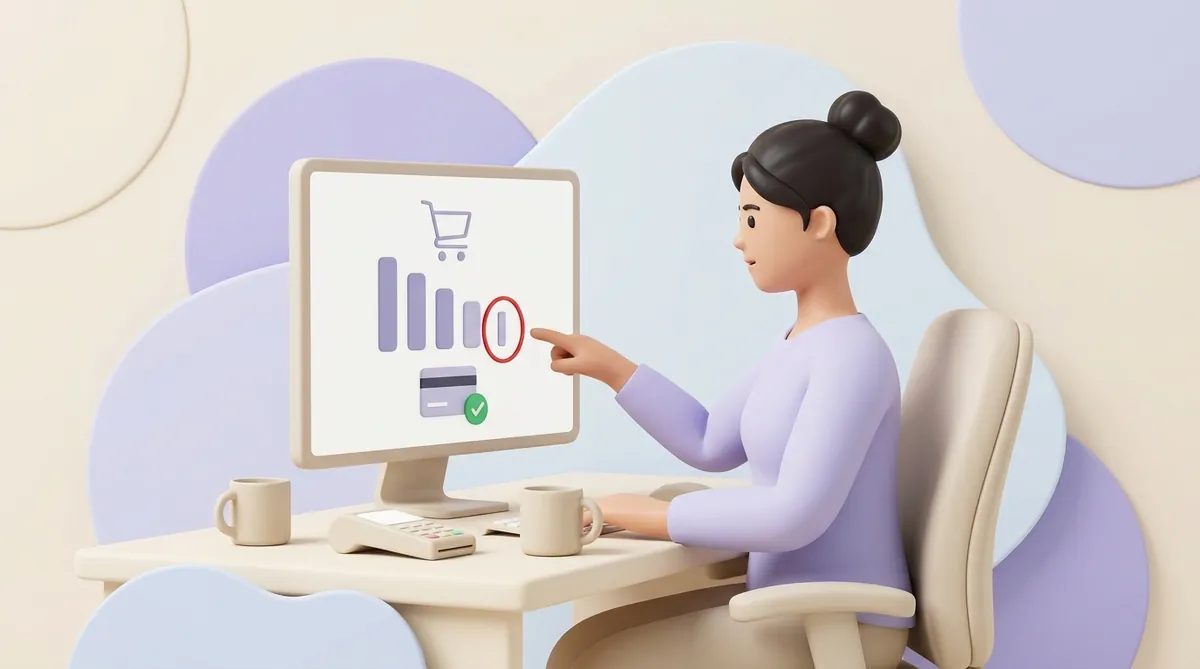
    A store owner at her desk points at a monitor showing a shopping cart above bars that get shorter, the thinnest bar before the card payment step circled in red; a card terminal lies on the desk

    Leaving before paying or failing to pay: find out which one you have

    A buyer who closes the tab at checkout and a buyer whose payment failed are two different problems with different fixes. That is why the second number you need is the payment success rate: of all the payment attempts, the share that actually went through.

    Its formula mirrors the first one: payment success rate = successful payments ÷ payment attempts × 100.

    Back to the example. Of the 400 sessions that reached checkout, 230 pressed "Pay" and 180 paid, which splits the loss in two:

    • 170 buyers left without trying to pay. That is checkout abandonment, and it points at the price, the form, trust or the choice of payment methods.
    • 50 payment attempts didn't go through. A payment success rate of about 78% (180 ÷ 230) points at declines, errors or payment instructions the buyer couldn't follow.

    The numbers come from three places:

    • Your store analytics. Most ecommerce platforms show a funnel: sessions that added to cart, reached checkout and completed checkout.
    • Your payment provider's dashboard. It lists payment attempts, successful payments and failed ones, usually with a reason next to each failure.
    • Your own test purchase. Go through checkout on a phone, with a real card and a weak connection. Many leaks are visible within two minutes.

    Why customers leave at checkout before paying

    Baymard Institute regularly asks online shoppers who abandoned an order why they left. Setting aside those who were just browsing, the most common answers are these, and a shopper could give more than one:

    • Extra costs were too high: about 40%. Shipping, taxes or fees appeared only at the last step and made the order more expensive than expected.
    • They didn't trust the site with their card details: about 19%. An unfamiliar payment page or a site without contacts and a return policy makes people hesitate.
    • The site required an account: about 18%. A buyer who came to pay doesn't want to invent a password first.
    • Checkout was too long or complicated: about 17%. Every extra field and step is another chance to give up, especially on a phone.
    • The site had errors or crashed: about 17%. A frozen button reads as "this shop is broken".
    • They couldn't see the total cost up front: about 12%. Buyers want the final figure before they commit.
    • Their card was declined: about 10%. This one is a failed payment rather than a change of mind, and it gets its own section below.
    • There weren't enough payment methods: about 9%. The buyer's usual way to pay simply wasn't on the list.

    Notice what leads the list: surprise money. A buyer who expected to pay $50 and sees $62 at the last step does the sums again, and often decides against it.

    When that extra line is a payment fee, you have three options:

    • Absorb the fee. The buyer sees no extra line, and the fee comes out of your margin.
    • Build the fee into the price. The total stays predictable, but every product looks a little more expensive.
    • Show the fee early and plainly. The buyer meets it on the product page or in the cart, not at the last step.

    Which one makes sense depends on how big the fee is and what drives online payment fees and how a business can lower them.

    Why payments fail after the buyer presses "Pay"

    A failed payment costs more than an abandoned checkout, because this buyer had already decided to buy. What goes wrong depends on the payment method.

    Card payments usually fail for four reasons:

    • The bank declines. The card has no funds or has hit its limit, or the bank's fraud check flags a purchase from an unfamiliar or foreign merchant.
    • The extra confirmation isn't finished. Many banks ask the buyer to confirm the payment in their banking app or with a code, and a buyer who switches apps and doesn't come back leaves an unpaid order.
    • The card details are wrong. A mistyped expiry date or security code, or an expired card, gets the payment rejected.
    • The connection times out. If your site and the payment provider don't exchange a reply in time, the buyer sees an error and doesn't know whether they paid.

    Declines from wary banks hit hardest where buyers pay from abroad. An online school selling courses to students in dozens of countries runs into this decline again and again, which is why schools look at crypto payments for online courses and international students.

    Crypto payments fail for different reasons, and most of them happen in the buyer's wallet, not at a bank:

    • Wrong network. USDT, a coin pegged to the US dollar, exists on several blockchain networks, and a transfer on a network the store doesn't accept never arrives.
    • Short amount. The exchange takes its withdrawal fee out of the sum, so 99 USDT arrives against a 100 USDT invoice.
    • Late transfer. A crypto invoice is valid for a limited time, and a transfer sent after that may no longer be matched to the order automatically.
    • No coin for the network fee. Sending USDT on the TRON network costs a small fee paid in TRX, TRON's own coin, so a buyer who holds only USDT can't send it.

    Each of these failures has a fix on the store's side, from making the network impossible to miss to accepting small underpayments, and they are all covered in how to reduce failed crypto payments caused by networks, gas fees and amount errors.

    The last one surprises buyers the most: the money is in their wallet, and they still can't pay. It is worth understanding why customers can't send USDT without TRX, ETH or BNB and how gasless payments change that.
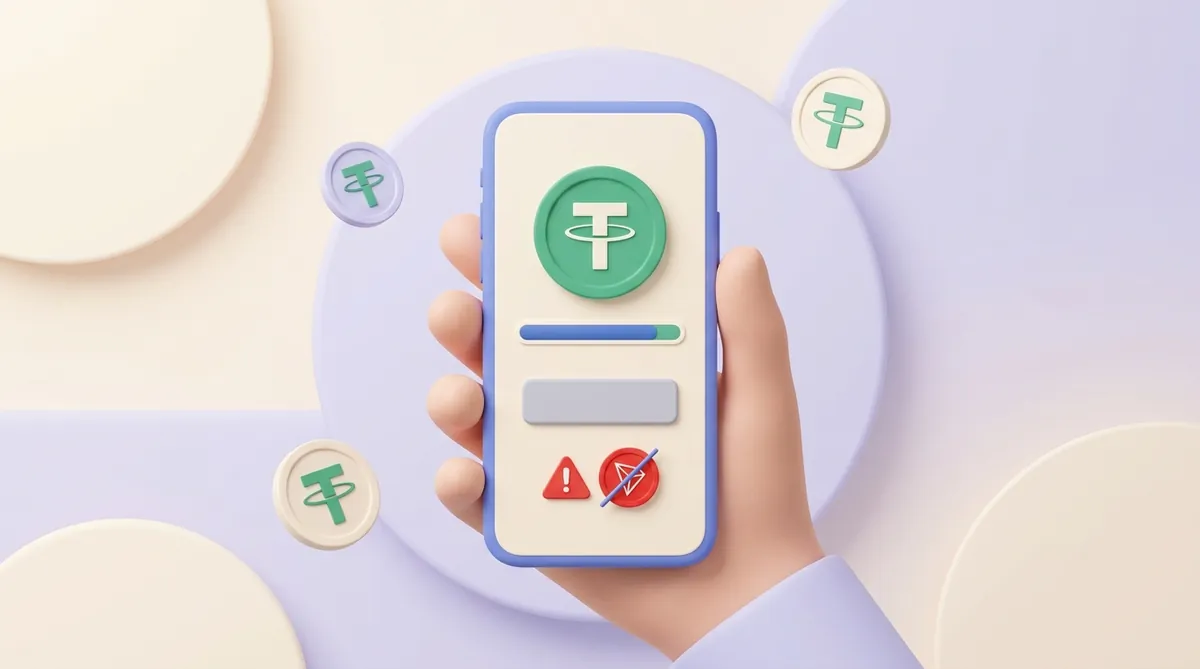
    A hand holds a phone with a crypto wallet showing a USDT coin and a full balance bar, but under the send button a red warning sign and a crossed-out TRON coin: there is no TRX to pay the network fee

    What to fix first to increase your checkout conversion rate

    Baymard Institute estimates that an average large online store could raise its conversion rate by about 35% through better checkout design alone. You don't have to rebuild everything to get part of that. Start with the fixes that cost least and address the most common reasons:

    1. Show the full price before checkout. Put shipping, taxes and any payment fee on the product page or in the cart, so the total at checkout matches what the buyer expects. The price of this fix: a visibly higher price can cost you a few cart additions, but the people who do reach checkout pay more often.
    2. Let buyers pay as guests. Offer to create an account after the payment, not before it. You collect fewer registrations, and in exchange you keep the order.
    3. Read the failure reasons in your payment provider's dashboard. If one reason dominates, such as declines from one country or timeouts at one hour of the day, fix that one first; it is usually a setting or a conversation with the provider, not a redesign. If your provider doesn't show why payments fail at all, that is something to check in any payment API before you integrate it.
    4. Remove checkout fields you don't need. Baymard counts about 23 form elements in the average US checkout and finds that a well-built one manages with 12 to 14. Before removing a field, check that your delivery or accounting team doesn't depend on it.
    5. Go through your checkout on a phone. Check that the keyboard matches the field, that the "Pay" button isn't hidden below the fold, and that the buyer returns to your site after confirming in a banking or wallet app. This costs an hour and nothing else.
    6. Put trust signals next to the payment step. A recognisable payment page, a visible return policy and real contact details answer the doubt of the buyer who hesitates to enter card details. This is cheap to add, but it won't help if the payment page itself looks unfamiliar or broken.
    7. Add the payment method your buyers are missing. This is the most expensive step, because a new method means integration work, new fees and new support questions. It is worth doing when your data shows buyers from one region or segment reaching the payment step and leaving. The integration doesn't have to mean rebuilding checkout either: a ready-made payment block can sit next to your existing "Pay" button, and it helps to know when an HTML payment widget is a better choice than an API or a plugin.

    Change one thing at a time and compare at least two comparable weeks before and after. If you change three things at once and the rate rises, you won't know which change to keep.

    If your shop is a mobile app, run the same phone test inside it, and pay particular attention to the moment the buyer leaves for a wallet and comes back. When the app takes crypto, that round trip is part of integrating crypto payments into a mobile app.

    Which payment methods help checkout conversion

    The method that helps is the one your buyer already uses and trusts. A long list of logos doesn't raise conversion by itself; the right two or three methods for your audience do. How to find them is a question of who your buyers are, and it comes down to why offering several payment options helps a business grow and how to choose them.

    The gap shows most with international buyers whose cards get declined by their own banks. For them, a method that doesn't depend on a bank's approval, such as paying in crypto, can be the one that works.

    If you add crypto, check how the payment window guards against the failures described above. Before choosing, it also helps to know what a crypto payment gateway costs and how to connect one.

    The loss at the top of Baymard's list, extra costs that appear only at the last step, is one CryptumPay deals with by showing the fee before payment. If the merchant passes the fee to the buyer, the buyer sees it as a separate line with a breakdown, including the 1% service fee, before paying rather than in a total that suddenly grew.

    A short amount, like 99 USDT arriving against a 100 USDT invoice, doesn't have to leave the order hanging either. In CryptumPay the merchant sets an underpayment tolerance in percent: anything within it confirms automatically, and beyond it the checkout asks the buyer to pay the rest.

    How wide to set that tolerance is a finance decision as much as a checkout one: a wider margin confirms more orders and leaves a little more money uncollected. That trade-off sits with the rest of how a CFO controls USDT payments, fees, conversion and withdrawals.

    What it comes down to

    Calculate your checkout conversion rate from paid orders and checkouts started, and compare it with your own past weeks before any benchmark. Then separate buyers who left from payments that failed, because the fixes differ. Make the cheap fixes first and one at a time, and add a new payment method last, when your data shows who is missing it.

    Questions merchants also ask

    What is a checkout abandonment rate?

    Checkout abandonment rate is the share of started checkouts that don't end in a payment, the mirror image of checkout conversion rate. A checkout conversion rate of 40% means an abandonment rate of 60%. Some tools count failed payments as abandonment and some leave them out, so check the definition before comparing figures from two sources.

    What is a normal payment success rate?

    There is no single normal figure, because it depends on who your buyers are and how they pay. Track your own rate week by week and read the failure reasons behind it. A sudden drop usually has one cause, such as a provider outage or a new fraud rule, and it is easier to find the same week than a month later.

    What is a cart conversion rate?

    Cart conversion rate is the share of sessions with something in the cart that end in a paid order. It starts one step earlier than checkout conversion rate, so it is usually lower. Baymard Institute's average of about 70% abandoned carts corresponds to a cart conversion rate of roughly 30%.

    What is the checkout conversion rate on Shopify?

    In Shopify analytics, the conversion rate breakdown shows "Sessions that reached checkout" and "Sessions that completed checkout". Divide the second by the first and multiply by 100 to get your checkout conversion rate. Littledata's 2023 average of about 45% comes from Shopify stores, so it is the fairest outside comparison for a Shopify merchant, as long as you remember which year it describes.

    What does payment conversion rate mean?

    Payment conversion rate has no fixed definition, and people use the phrase for different ratios, from the payment success rate to the share of all visitors who end up paying. Before comparing your figure with anyone else's, ask what they divided by what.

    Start accepting crypto payments

    Create an account and connect the checkout yourself, or talk to sales and we will plan the integration with you.