October 25, 2026
CEX or DEX: what's the difference, and which kind of crypto exchange should you use?
Read article
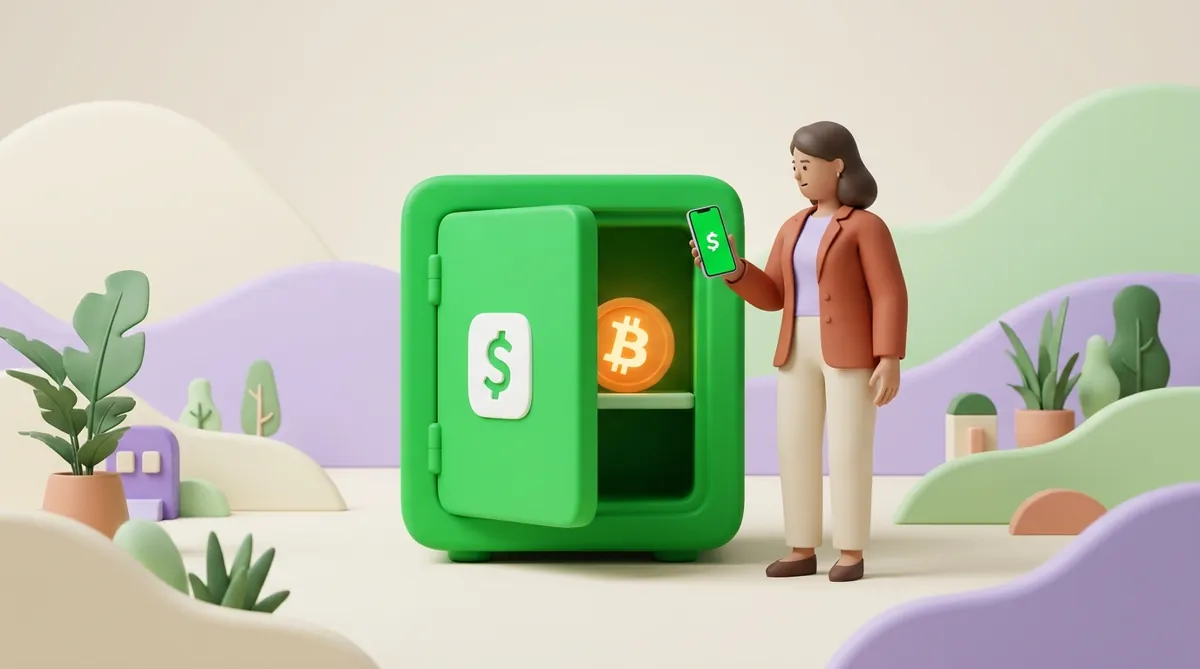
Cash App sells you bitcoin from the same balance you use to pay friends, and then keeps it for you: the coins stay with Cash App, and your screen shows how much of them is yours. From there you can sell them back to dollars or withdraw them to any bitcoin wallet. A one-off purchase under $2,000 costs 0.9% to 2% in fees, bigger purchases and automatic buys cost nothing extra, and a standard withdrawal to another wallet is free.
Cash App is a custodial service. Block, the company behind the app, holds the bitcoin and the keys that move it, and your bitcoin balance is Cash App's record of how much of that bitcoin belongs to you.
For buying and selling, custody is convenient. There is no password to a wallet you could lose and no list of words to write down. You open the app, and the balance is there.
The cost of that convenience is control. Your bitcoin moves only the ways Cash App supports and only within its limits, and if the account is frozen for a review, the coins wait with it.
Holding bitcoin yourself means withdrawing it to a wallet you control. Then nobody can freeze or cap it, but the safety of the keys is on you. A personal wallet is restored from a recovery phrase of 12 or 24 words, and whoever has those words has the coins. Before you move savings out of Cash App, it is worth learning how to protect a seed phrase and private key.
Cash App asks you to verify your identity before you can buy bitcoin. The check asks for:
Sometimes Cash App asks for more:
Enter the details exactly as they appear on your documents, so the check can match them. A higher level of verification also raises your limits.
The request can feel excessive from an app that already has your bank card. Every licensed service that sells crypto runs the same kind of check, and the reasons behind it are explained in our guide to what KYC is in crypto and why a service asks for your ID.
A one-off purchase takes four steps:
You can also buy bitcoin in small amounts without opening the app each time. Cash App has three automatic ways to buy, and none of them carries a fee:
Cash App's bitcoin fees, as of November 2026, depend on how you buy and how fast you move the coins:
In practice, a $100 purchase costs $2 in fees, so about $98 of it becomes bitcoin, a little less if the price carries a markup. A $2,500 purchase, or the same $100 through Auto Invest, turns into bitcoin in full.
Moving dollars from Cash App to a bank is a separate step with its own fee rules. We cover it below, in the section about cashing out.
Payment apps price crypto in different ways, so a fair comparison puts one fee line next to another. If Venmo is the other app on your phone, see what buying crypto with Venmo costs.
A bitcoin address is a string of letters and numbers that another wallet sends bitcoin to, much like an account number for a bank transfer. Cash App gives you one so you can receive bitcoin from any wallet or exchange.
To see your Cash App address:
Cash App deposit addresses start with "bc1". This is the modern bitcoin address format, and every current wallet and exchange can send to it.
The address accepts bitcoin sent over the bitcoin network and nothing else. Two look-alikes do not arrive in Cash App as bitcoin:
Ask the sender to choose the Bitcoin network before they send.
Other wallets you use may show addresses that start with "1" or "3", or a new address every time you open them. Both are normal, and the reasons are explained in what a crypto wallet address is and how to find yours.
An on-chain withdrawal moves bitcoin out of Cash App and onto the bitcoin network, to an address you choose. It can be your own wallet, an exchange account or someone else's wallet.
To send bitcoin from Cash App to another wallet:
A bitcoin withdrawal cannot be reversed. Once it leaves Cash App, neither Cash App nor anyone else can pull it back, so the check in step 5 is the last one that counts. The same failure points wait in every app, and the full list is in our guide on what to check before you press Send on a bitcoin transfer.
Lightning is a payment layer built on top of bitcoin for small payments that arrive in seconds and cost almost nothing. Instead of an address, the receiver shows a Lightning invoice, a QR code with the amount already inside.
The difference from a regular withdrawal lies in where the payment is recorded. A regular withdrawal waits for a place in a bitcoin block, and every block has limited room, so it takes time and a network fee. A Lightning payment travels between Lightning nodes outside the blocks, and only the channels that connect those nodes are opened and closed on the main network.
In Cash App you scan that invoice and confirm. You can pay it even if you hold no bitcoin: Cash App converts the dollars from your balance on the spot. Cash App can also receive Lightning payments into your bitcoin balance.
Lightning in Cash App suits small amounts, because it has its own weekly cap, much lower than the cap on regular withdrawals. If you are deciding which way to send, it helps to know when Lightning is better than a regular bitcoin transfer.
A bank account cannot hold bitcoin, so the route always has two steps: first bitcoin becomes dollars, then the dollars go to the bank.

Selling can also create a tax bill. Under US federal rules as of November 2026, the IRS treats bitcoin as property, so the difference between what you paid for it and what you sold it for is a gain or a loss that goes on your tax return. For sales from 1 January 2025, crypto brokers, which include custodial apps that sell bitcoin, report the sale amounts to the IRS on Form 1099-DA. You report the sale whether or not such a form arrives. The rates and the cases when nothing is due are covered in our guide on when crypto is taxed and how much you pay.
Cash App sets several separate caps on bitcoin, and the current ones for your account are shown in the app:
No. Cash App has no USDT balance and no USDT address. Its stablecoin support works like this:
This is why USDT sent to your Cash App USDC address is a mistake: Cash App does not support the token, so do not count on getting it back. Ask anyone paying you in stablecoins to use USDC on one of the four networks above.
If you need USDT itself, for example to pay someone who accepts nothing else, Cash App can still pay for it. MoonPay, a service that sells crypto, accepts Cash App Pay from eligible US customers, and USDT is among the coins it sells. The USDT goes to the wallet address you give MoonPay, not into Cash App. Before buying, it helps to know how USDT works and which networks it lives on.
Cash App is an easy place to buy bitcoin and keep it at hand. The cheapest ways in are automatic buys and purchases over $2,000, and a standard withdrawal to your own wallet costs nothing. Before any withdrawal, check the address and the network, and remember that bitcoin sold for dollars can mean a line on your tax return.
Start with the limits Cash App shows for your account. The withdrawal may go over your 24-hour or seven-day cap, or fall below the minimum for the speed you picked. If neither explains it, ask Cash App support what is holding the withdrawal.
Open the withdrawal in your Cash App activity and copy its transaction ID, the unique code the bitcoin network gives every transfer. Paste it into a block explorer, a public site that shows every bitcoin transaction, and you will see whether the transfer is in a block and how many confirmations it has. The receiving wallet or exchange decides how many confirmations it waits for before showing the bitcoin, and here is how to read a transaction in a blockchain explorer.
The bitcoin goes to whoever controls that address, and Cash App cannot cancel the transfer. If the address belongs to an exchange, contact that exchange's support with the transaction ID: some exchanges return mistaken deposits. If it belongs to a stranger's wallet, only the owner can send the coins back.
No. Cash App's own disclosures say bitcoin holdings are not protected by the FDIC or the SIPC, the US schemes that cover bank deposits and brokerage accounts. Your dollar balance and your bitcoin balance in the same app live under different rules.
Yes. Any wallet that gives you a bitcoin address can receive a withdrawal from Cash App, and Bitkey, the hardware wallet made by Block, links with Cash App directly. A hardware wallet keeps the keys on a small offline device, so the coins stay safe even if your phone is lost or hacked. If you have not chosen a wallet yet, start with which crypto wallet fits your situation.
This article is not tax or legal advice.
Create an account and connect the checkout yourself, or talk to sales and we will plan the integration with you.