

September 6, 2026
How to get paid in crypto as a freelancer
Read article
How do you check a crypto payment when a customer says, “I paid, but my order was not credited”?
For the customer, the situation looks simple: funds left their wallet or exchange, so the product, subscription, deposit, credits, or account balance should appear immediately. For the business, it is not one check. It is a chain of questions: which network was used, whether the amount matches, whether the TXID exists, how many confirmations the transaction has, whether the invoice expired, and whether the payment can be matched to the right order.
Without a clear process, every payment issue turns into manual chaos. Support asks for screenshots. Finance looks for wallet inflows. Developers check webhooks. The customer gets frustrated. The order stays pending.
This guide gives support, finance, operations, and product teams a practical workflow for checking crypto payments and responding to customers clearly.
Crypto payments need more precise statuses than card payments.
A customer may have opened an invoice but not sent a transaction. They may have sent a transaction that has not yet been confirmed. They may have sent the right asset on the wrong network. They may have sent less than the invoice requires. Or the funds may have arrived on-chain but failed to match the order because the invoice expired, the address was reused, a memo/tag was missing, or a webhook failed.
To the customer, all of this may sound like the same thing: “I paid.”
To the business, these are different cases with different actions.
A basic crypto payment workflow should distinguish:
If these statuses are not separated, support cannot explain what is happening. If payment exceptions happen often, start by reviewing the broader causes of failed crypto payments: wrong network, gas fees, amount errors, expired invoices, and weak checkout instructions.
The first rule: do not rely only on a screenshot.
A screenshot can help, but it is not the source of truth. It may show an internal exchange withdrawal ID instead of a blockchain transaction hash. It may hide the network, cut off the address, show the wrong fee logic, or display a withdrawal that has not yet been broadcast on-chain.
A screenshot can also be fabricated outright. Some senders show an edited transfer screen, or point to a token that carries the USDT name but comes from a different contract, a scheme usually sold as flash USDT. Support stops arguing with the picture once it knows how fake USDT payments are dressed up to look real.
Support needs data that can be checked both in the payment system and on the blockchain:
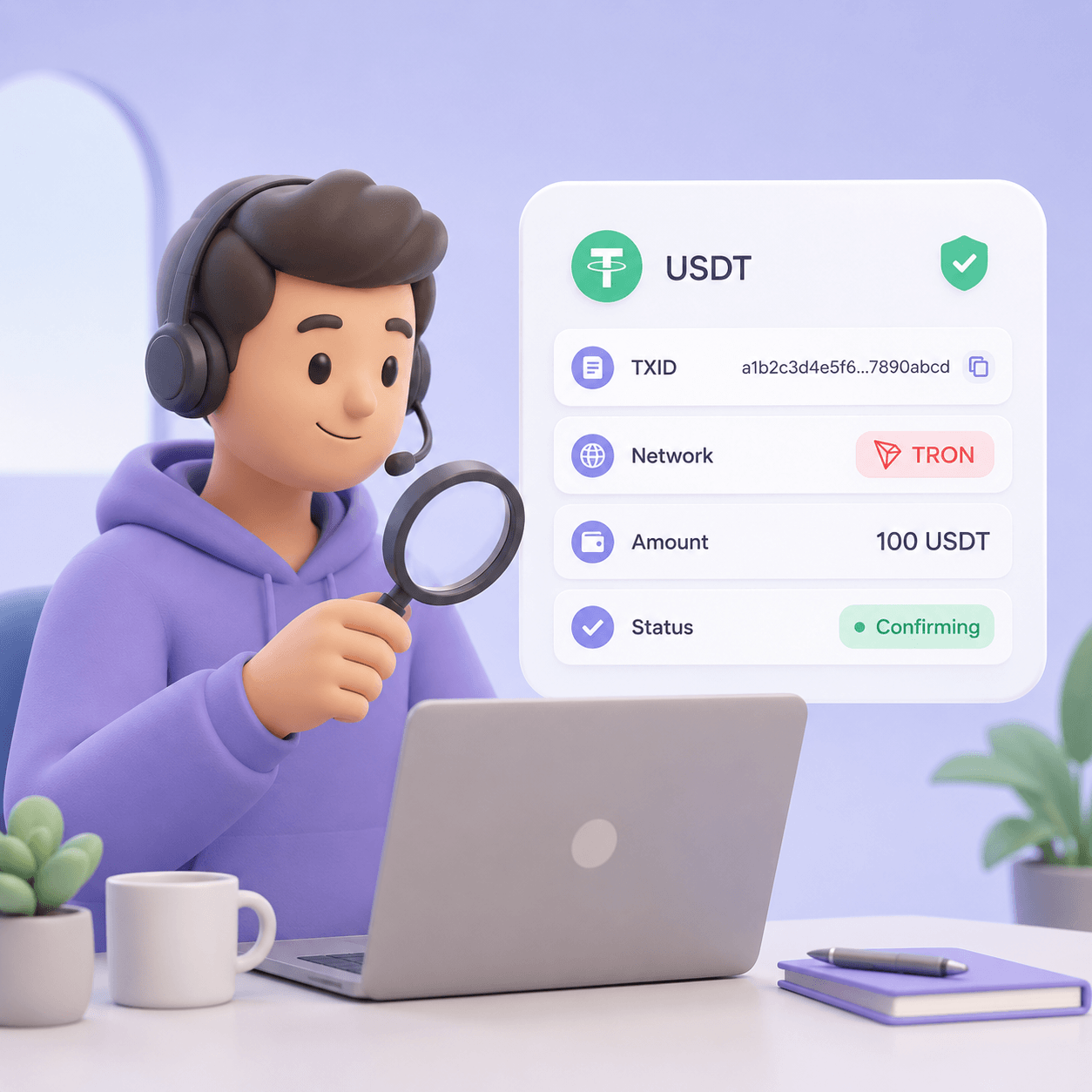
The TXID is the key identifier. In wallets and exchanges, it may be called TXID, Hash, Transaction Hash, Transaction ID, TxHash, or Details.
A useful support reply is:
“Please open the transaction history in your wallet or exchange, select the relevant withdrawal, and send us the TXID / transaction hash. We need the blockchain transaction hash, not the internal exchange withdrawal ID.”
A TXID must be checked in the explorer for the network the customer actually used.
This matters most for USDT and other tokens that exist across multiple networks. USDT on TRON, Ethereum, BSC, Polygon, and Solana is not one universal payment route. To the customer, it may all look like “USDT.” To the business, these are different networks, different fees, different addresses, and different crediting rules.
When checking a TXID, verify:
If the TXID is not found, do not immediately say “there is no payment.” Several things may have happened. The customer may have copied an internal exchange ID. The exchange may not have broadcast the withdrawal yet. The customer may have used a different network. The hash may be incomplete. Or the support agent may be checking the wrong explorer.
A better customer reply is:
“We cannot see this transaction hash in the network yet. Please check that you sent the blockchain TXID / Hash, not the internal withdrawal number from the exchange. If the withdrawal is still being processed by the exchange, please wait until the blockchain hash appears and send it again.”
Wrong-network payments are one of the most common crypto support issues.
For example, the invoice asks for USDT TRC-20, but the customer sends USDT BEP-20. From the customer’s perspective, they paid USDT. From the merchant’s perspective, the payment arrived through a different route than the invoice expected.
The support check should answer four questions:
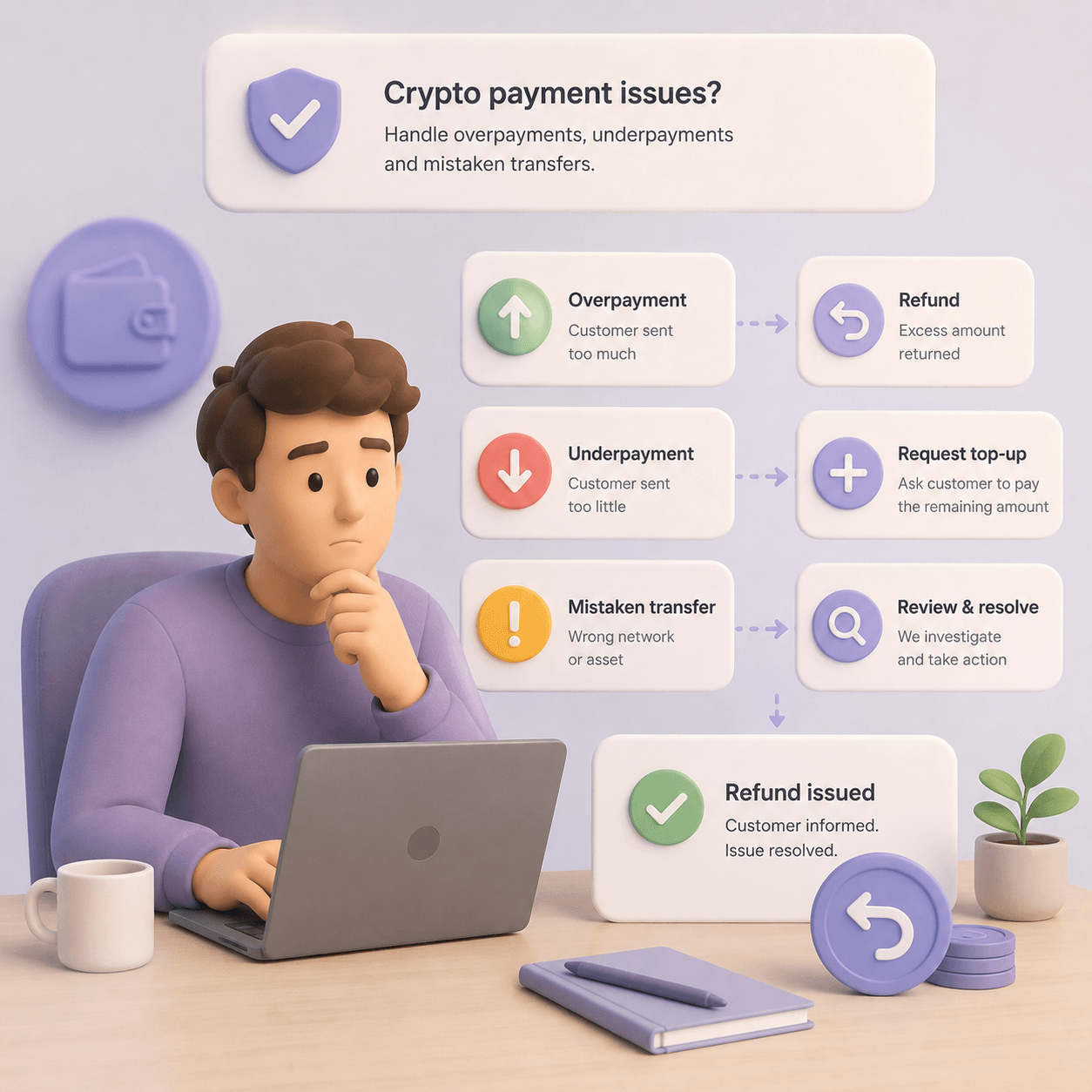
Do not promise recovery immediately. Some wrong-network transfers can be investigated and processed manually. Others cannot be recovered, especially if the asset or network is unsupported, the address is not controlled on that network, or the route is incompatible.
To prevent these cases, the network should be shown as part of the payment instruction. Do not show only “USDT.” Show “USDT TRC-20,” “USDT ERC-20,” or another exact format.
If your business supports USDT across several networks, define which networks are best for your audience, support team, and cost model. The guide on choosing the right USDT network covers this in more detail.
Even if the network is correct, the payment may not close the order.
Example: the invoice requires 100 USDT, but the business receives 99.50 USDT. This can happen when the customer changes the amount manually, pays from an exchange that deducts a fee, misunderstands the network fee, copies the wrong number, or tries to “subtract the fee” from the invoice amount.
Support should avoid saying only “the payment failed.” Instead, show the exact difference:
An underpayment in an online store is not the same as an underpayment in an account-balance product. If the customer is buying a fixed-price subscription, course, license, or physical product, the order usually should not be completed until the full amount arrives. If the customer is topping up a hosting, iGaming, API, ad network, VPN, or SaaS balance, the business may credit the amount actually received if its rules allow it.
Overpayments also need a process. If the customer sends more than required, the order can usually be completed, but the excess must be handled. It may be refunded, credited to balance, or reviewed manually.
These rules should be connected to your crypto payment refunds policy before support starts improvising.
A “sent” status in the customer’s wallet does not always mean the order should be credited.
The transaction must be broadcast, included in the network, confirmed, detected by the payment system, and matched to the invoice. Depending on the asset, network, amount, risk level, and provider policy, the required number of confirmations may vary.
Support should distinguish:
Customer communication should be simple:
“Your payment was found in the network. We are waiting for the required confirmations. Once the transaction is confirmed, the order status will update. Please do not send another payment while this transaction is still processing.”
This is much clearer than saying “pending” without context.
A customer may hold USDT but not have TRX, ETH, BNB, SOL, or another native token needed to pay the network fee. To the customer, this is confusing: “I have USDT, so why can’t I pay?” To the business, it becomes an abandoned checkout, an underpayment, or a support ticket.
The problem is especially visible in manual payment flows. The customer chooses the network, copies the address, enters the amount, and confirms the transaction. If they do not understand gas or withdrawal fees, they may send the wrong amount or fail to send anything at all.
The payment page should explain:
This is why gasless USDT payments are relevant to support operations, not only checkout UX. Reducing gas friction can reduce payment errors before they become tickets.
Sometimes the transaction exists, the network is correct, the amount is correct, and confirmations are complete — but the order is still not credited.
This means the issue may be in matching, not in the blockchain transaction itself.
Common causes include:
In these cases, support needs more than a TXID. The team needs invoice status inside the payment system: created, waiting, detected, confirming, completed, expired, underpaid, overpaid, manual review, or refunded.
If support cannot see those statuses, every unclear payment will be escalated to developers.
For higher-volume products, this should be checked before launch. The crypto payment API should support invoice IDs, transaction hashes, clear statuses, webhooks, metadata, test cases, and safe order-crediting logic.
Not every crypto payment needs manual AML review. But every business needs a process for transactions with elevated risk.
This is especially important for large payments, unusual customer behavior, marketplaces, iGaming, fintech, VPN, international digital services, and refund cases where the customer asks to receive funds at a new address.
AML or risk review may apply when:
Support should not decide these cases alone. The payment system or internal dashboard should have clear statuses: under review, additional information required, credited, refund blocked, sent to finance, or sent to compliance.
AML, KYC, data retention, and refund requirements depend on the jurisdiction, business model, and provider policy. They should be reviewed with legal and compliance specialists where relevant.
The broader risk-control framework is covered in the guide to AML and crypto payment security.
“We cannot find this transaction hash in the blockchain network yet. Please check that you sent the TXID / transaction hash, not the internal withdrawal number from your exchange. If the withdrawal is still being processed by the exchange, wait until the blockchain hash appears and send it again.”
“We found your payment in the network, but it has not received the required confirmations yet. Once it is confirmed, the order status will update. Please do not send another payment while this transaction is still processing.”
“We received your payment, but the amount is lower than the invoice amount. Expected: X. Received: Y. To complete the order, please pay the remaining amount in the same network, or choose another available resolution option if supported by the service.”
“The order is paid, but the received amount is higher than the invoice amount. The excess may be refunded or credited to your account balance, depending on the service rules. A network fee may apply to an on-chain refund.”
“We can see the payment, but it arrived after the invoice expired. We have sent it for review. The team will confirm whether it can be credited, recalculated, refunded, or added to your account balance.”
“The payment was sent on a different network from the one shown on the invoice. We will check whether this transfer can be technically detected and processed. Recovery depends on the asset, network, address, and provider rules, so we cannot confirm crediting until the review is complete.”
“The payment was found, but it has been sent for additional security review. This does not mean it is rejected. We need to complete the internal check before updating the payment status.”
If support needs a developer every time a customer asks about a payment, the process will not scale.
A merchant dashboard or admin panel should show:
Finance needs additional fields: amount after fees, exchange rate used for the invoice, settlement amount, balance impact, withdrawal status, and refund history.
This connects directly to stablecoin payment operations for CFOs. A crypto payment is not only “money arrived.” It must be tied to the right order, reconciled, reported, and prepared for settlement or withdrawal.
Payment checks should not live only inside support tickets. If the same issues repeat, they should become product and operations metrics.
Track:
These metrics show where the payment flow breaks: network selection, amount entry, gas, invoice expiry, confirmations, webhook delivery, or support communication.
The broader framework is covered in crypto payment metrics.
Checking payments is necessary. Reducing avoidable payment issues is better.
A stronger crypto checkout should:
Do not evaluate payment cost only by provider commission. Manual support, unresolved balances, refunds, and failed orders also cost money. This is why crypto payment fees should be analyzed together with checkout UX and support load.
A business does not need to build the whole process from scratch.
A good crypto payment system should do more than show a wallet address. It should help the merchant:
CryptumPay can fit this kind of workflow for businesses accepting cryptocurrency on a website, in an app, in a Telegram bot, or on another digital platform. The key principle is the same for any provider: the customer should understand what is happening with the payment, and the business should have enough data to avoid manual guesswork.
Copy the TXID or transaction hash from the customer’s wallet or exchange, open the correct blockchain explorer for the network used, and check the transaction status, recipient address, amount, fee, and confirmations.
Common reasons include the wrong network, underpayment, missing confirmations, an expired invoice, webhook failure, an old address, missing memo/tag, or AML review. Start by checking TXID, network, amount, and invoice status.
Several causes on that list start on the customer's side, before the transfer is even sent: a network picked by guesswork, an exchange withdrawal fee that trimmed the amount, a payment sent after the invoice closed. It pays to keep a link ready for support replies that shows customers how to pay with USDT without missing the network, the amount or the deadline.
Check whether the payment provider supports that network and whether the recipient address can be controlled or recovered on that network. Do not promise recovery before review.
It depends on the business model. A fixed-price order usually requires the remaining amount or a refund. A balance-based product may credit the amount actually received if the rules allow it.
AML review may be needed for large, unusual, high-risk, or suspicious transactions, and for some refund or manual recovery cases. Requirements depend on jurisdiction, business model, and provider policy.
Create an account and connect the checkout yourself, or talk to sales and we will plan the integration with you.
.png)