
October 24, 2026
What is Polkadot, and what is it used for?
Read article
To accept Ethereum payments, you give the customer an Ethereum address and an exact amount of ETH, and then check that the right amount arrived for the right order. You can do this with your own wallet and manual checks, or with a payment processor that creates a separate payment for every order, watches the network for you and can turn the ETH into a stablecoin the moment it lands. A payment normally shows up within a minute and becomes final in about 15 minutes, and the network fee is paid by the customer, not by you.
Ethereum is a network of thousands of computers that keep one shared ledger of who owns what. ETH, also called ether, is the network's own coin: it is what customers send you, and it is what the network charges its fees in.
When a customer pays, their wallet signs an instruction that says, in effect, "move 0.05 ETH from my address to this one". The network writes that instruction into the ledger, and from that moment every copy of the ledger shows the money at your address. If a ledger that everyone keeps at once is a new idea for you, start with how cryptocurrency and blockchain work.
Two consequences of this matter to anyone who sells for ETH:
Ethereum is also more than a ledger of ETH. It runs small programs called smart contracts: code stored on the network that runs exactly as it was written whenever someone calls it. Dollar stablecoins such as USDT and USDC are smart contracts on Ethereum. Each one keeps its own list of balances, and "sending USDT" really means asking that program to lower one balance and raise another. That is why one Ethereum address can hold ETH and many tokens at the same time, and why the same network can carry both kinds of payment. To see what these programs can and can't do, read how smart contracts work on a blockchain.
Ethereum adds a new block to the ledger every 12 seconds. A transfer with a normal fee usually gets into one of the next few blocks, so both the customer and you see the payment within a minute.
Seeing a payment and being sure of it are two different moments. Ethereum locks in blocks for good in batches, and a block becomes final in about 15 minutes. Before that, a very fresh block can, in rare cases, be replaced by another one. After it, reversing the payment would cost whoever tried a huge amount of the ETH locked up to secure the network, so in practice a final payment stays put.
Here is what that means when you sell:
If customers pay straight into your own wallet, that call is yours to make, and you make it by looking the payment up in a blockchain explorer: a public website that shows any Ethereum transfer, the block it landed in and how many blocks have been added since. Here is how to read a crypto transaction in a blockchain explorer.

Every transfer on Ethereum pays a network fee called gas. The customer pays it, in ETH, on top of the amount. If they send 0.05 ETH, 0.05 ETH arrives at your address, and the fee comes out of whatever is left in their wallet.
The fee is built from three parts:
Prices are counted in gwei, one billionth of an ETH, but nobody has to do the arithmetic: the wallet shows the fee in dollars before the customer confirms. In October 2026, on a quiet day, a plain ETH transfer cost about a cent or two. When the network is busy, the same transfer can cost many times more.
The catch is that gas is always paid in ETH, whatever is being sent. A customer holding 100 USDT on Ethereum and no ETH at all can't pay you: their wallet has nothing to cover the fee with and refuses to send. If your customers will pay in USDT, it's worth knowing why USDT payments fail when the customer has no ETH, TRX or BNB for gas.
The fee doesn't depend on the amount. Sending $10 in ETH costs the same gas as sending $10,000, so on small orders the fee is a bigger share of the price. At a cent that hardly matters, but on a busy day it can make a $5 purchase feel expensive to the person paying.
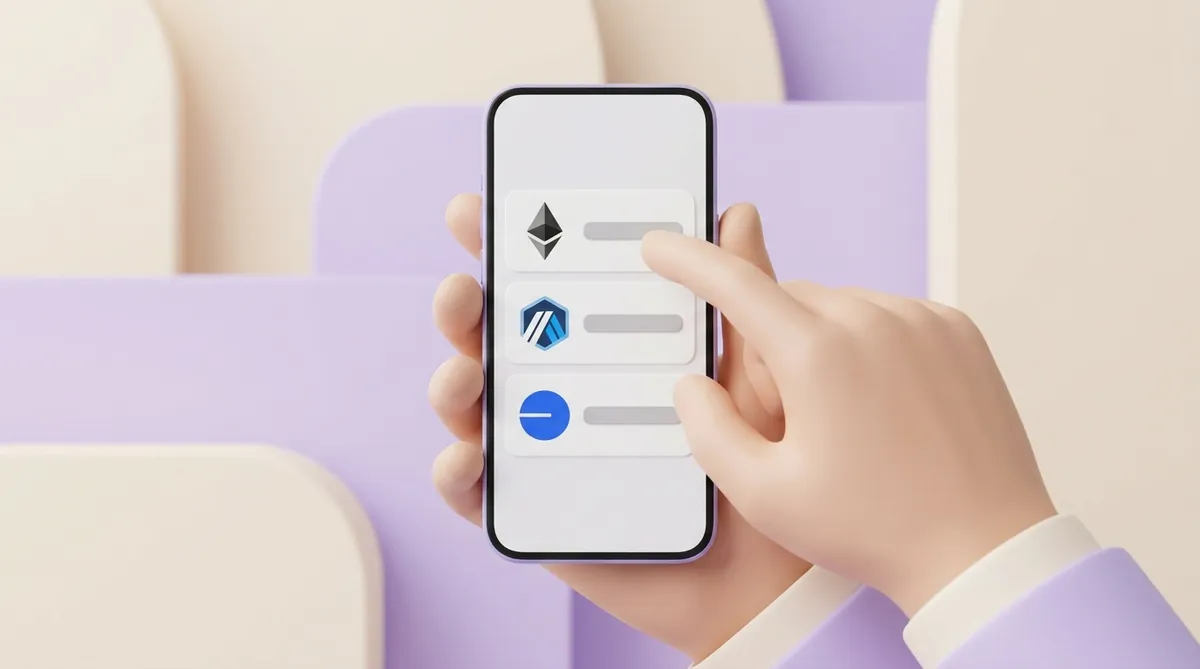
There are cheaper ways to move ETH. Layer 2 networks such as Arbitrum, Base and Optimism run on top of Ethereum: they bundle many transfers together and record the result on Ethereum, so a single transfer on them usually costs much less. ETH on a layer 2 is still ETH, but it lives on a separate network, and a payment sent there does not arrive on Ethereum itself. Accepting it is a choice you make on purpose, not something to discover after a customer has paid.
If most of your orders are small, a different network altogether may suit your customers better. Polygon is one such network: it works with the same kind of addresses and wallets as Ethereum, and its fees are usually much lower. Here is how accepting payments on the Polygon network works.
There are two ways to take ETH, and they differ in how much of the work stays with you:
A wallet works well for a handful of payments a month from people you know: a freelancer invoicing two clients can check two transfers by eye. It stops working once payments come from strangers, at any hour, for many slightly different amounts. On the ledger, everyone who pays to the same address looks alike, and an order for 0.0213 ETH is hard to tell apart from one for 0.0214 ETH.
Then there is the price of ETH itself. With a wallet you receive ETH and keep ETH, and turning it into dollars or euros is a separate trip to an exchange. A processor can do that conversion for you at the moment of payment.
There is also a middle road: running payment software on your own server. You keep the keys and nobody takes a percentage, but you pay in setup time, servers and security work. If you have developers, it's worth weighing whether to host your own crypto payment gateway or plug in a hosted one.
A payment processor stands between your shop and the Ethereum network. You tell it the price, and it can take on the parts a wallet leaves to you:
Once you have a processor, the next question is where the customer meets the payment. The answer depends on what you sell through.
A payment link is enough when there is no site at all. The processor makes a payment page for a set amount, and you send the link in a chat, an email or an invoice. The customer opens it, sees the ETH amount and a QR code, and pays from any wallet.
The simplest step up on a website is a button. You paste a short snippet into the page, and a click opens the processor's checkout in a window on top of your site. You don't build a payment page, and your order logic stays as it is. For a small shop or a landing page that may be the whole integration, so it helps to know when a checkout widget is a better fit than an API or a plugin.

If your store runs on a ready-made e-commerce platform, check whether the processor offers a plugin for it. You install the plugin, paste in a key from your processor account, and ETH appears among the payment options at checkout.
A shop or service with its own order system usually wants an API, a way for your server to talk to the processor directly. Your server asks for a payment, gets back an address and an amount, and receives a notification when the money arrives. That gives you full control over what the customer sees, and it takes a developer and a round of testing.
Before you commit to an API, ask the processor four things:
The full list of questions worth asking is in what to check in a crypto payment API before integrating it.
These steps assume a payment processor. If you take ETH to your own wallet, start from the test payment.
Selling inside a mobile app follows the same logic. The app either opens the processor's checkout as a web page, or your server calls the API and the app draws its own payment screen. One thing is specific to phones: the customer's wallet may well be on the same phone, and a QR code can't be scanned from the screen it is shown on. A button that opens the wallet app with the address and amount already filled in does that job better. Here is how to build crypto payments into a mobile app.
A transfer can't be undone, so most trouble starts with a payment that left the customer's wallet in the wrong shape:
With stablecoins the network question gets sharper. USDT exists on Ethereum in a format called ERC-20, on TRON as TRC-20 and on BNB Chain as BEP-20, and the versions don't cross over: a transfer arrives only on the network it was sent on. If you plan to take USDT alongside ETH, decide up front which USDT network suits a business: ERC-20, TRC-20 or BEP-20.
These failures are easier to prevent at checkout than to fix afterwards. Four habits help:
Each habit takes a few minutes to set up, and each one saves a support conversation later. These fixes and others, network by network, are collected in how to reduce failed crypto payments at checkout.
ETH is not a dollar: its price moves every minute, and sometimes a lot within a week. If a customer pays 0.02 ETH for a $50 order and ETH falls 10% before you sell, you have earned $45. If it rises, you have earned more. Either way, your revenue now depends on a market.
There are three ways to handle that:
USDT and USDC are the two largest dollar stablecoins, and at checkout they behave the same way. The difference lies behind them: who issues each one, what backs it and where it is easier to spend or cash out. Here is how USDT and USDC compare for business payments.
Ethereum itself keeps changing in ways that make paying easier. Its Pectra upgrade, switched on in May 2025, let ordinary wallet addresses opt in to smart contract features. One of the things that opens up is gasless payments, where an app or a service covers the gas for the customer.
For a seller, that would remove one of the most awkward failures in stablecoin payments: a customer with USDT and no ETH. Wallets and processors adopt the feature at their own pace, though, so today that customer may still be stuck, and the gas advice above still applies.
Layer 2 networks are the other shift. They have made ETH transfers cheap enough that a small purchase no longer carries a fee out of proportion to its price. A processor that accepts ETH on a layer 2 gives customers a cheaper way to pay, and in return you have one more network to name clearly on the checkout page.
Which coins and networks to accept is a decision you will revisit as these changes land. If you are planning for the next year, it helps to see where stablecoins, regulation and checkout design are heading in 2026.
ETH turns into money in your bank account through a sale: someone has to buy your ETH for dollars or euros. There are two usual routes:
What reaches your account is the order price minus every fee along the way:
These fees are built differently from service to service, so compare the whole chain rather than one headline number, and see how network fees, gas, gateway fees and checkout costs add up.
CryptumPay is a payment service that accepts ETH alongside USDT, which it takes on several networks. For a seller who wants ETH payments without holding ETH, these are the terms that matter:
More on how the checkout and the console work is on the CryptumPay website.
Accepting ETH comes down to three decisions:
Make those three, send yourself one test payment and one withdrawal, and you are ready for the first real customer.
On the network side, yes: anyone can create an Ethereum wallet and give clients its address, and Ethereum doesn't ask who you are. A payment processor is a different matter. It may ask you to verify your identity before you can withdraw, and some processors work only with registered businesses, so check its terms before you send clients a link.
There is no fixed limit, because the wait depends on the fee. A transfer stays pending when the fee the customer's wallet offered is lower than the network's current base fee, for example after a sudden busy spell. It waits in the queue until the base fee drops or until the customer uses the wallet's speed-up option, which resends the same transfer with a higher fee. Until the transfer is in a block, nothing has arrived, so the order shouldn't be marked as paid.
For the customer, an ETH payment is a transfer they send themselves, and all it takes is a wallet or an exchange account holding enough ETH to cover the price plus the network fee. They don't need an account with you or with your processor: they scan the QR code or copy the address, enter the amount and confirm. If they pay from an exchange, they should choose the Ethereum network in the withdrawal menu rather than a layer 2 listed next to it, and check that the exchange's own fee doesn't come out of the amount. If you are weighing whether to accept ETH on those networks too, here is how layer 2 networks such as Base, Arbitrum and Optimism work.
Create an account and connect the checkout yourself, or talk to sales and we will plan the integration with you.